A Dwarka Photoshoot, Held With Reverence
Nine photos of you in one setting
How your model is created from your photos
Every pack on Narcis, made with your face
Nine photographs of you in one setting: one pack of the Narcis catalogue.
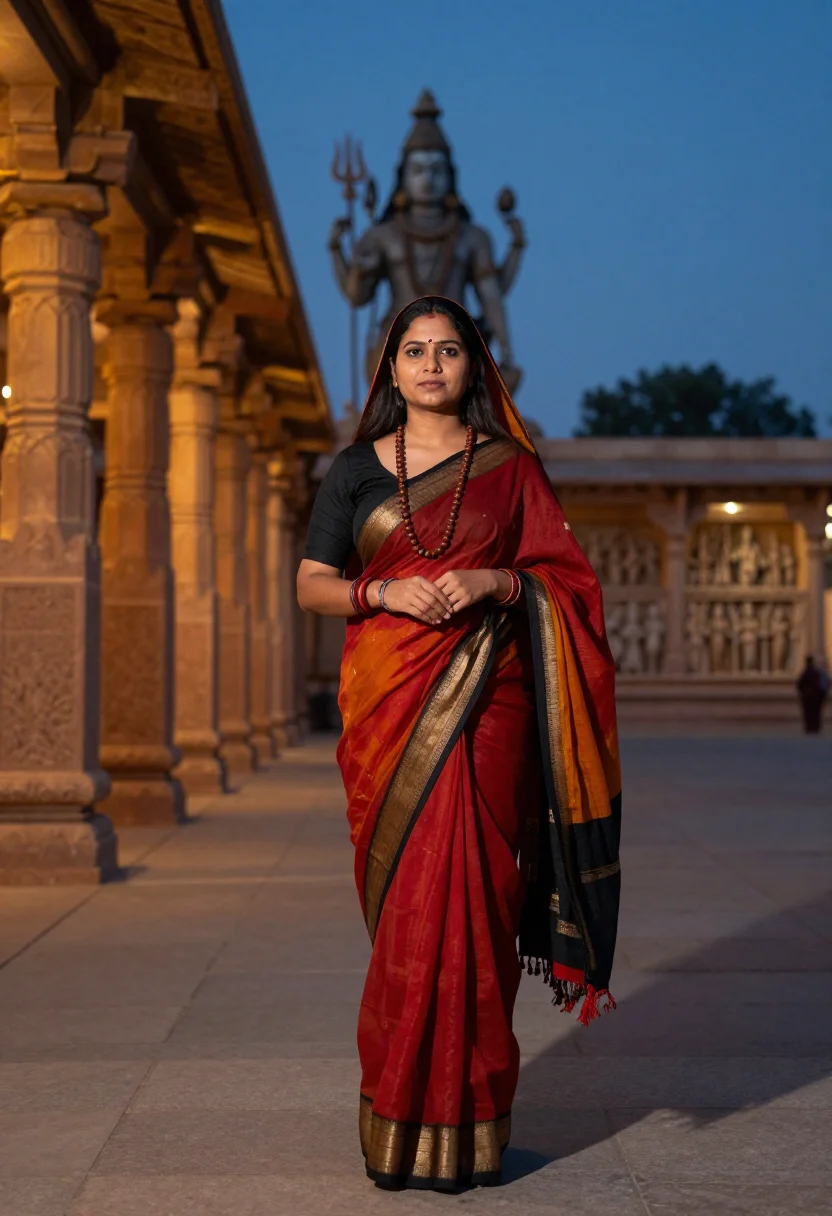
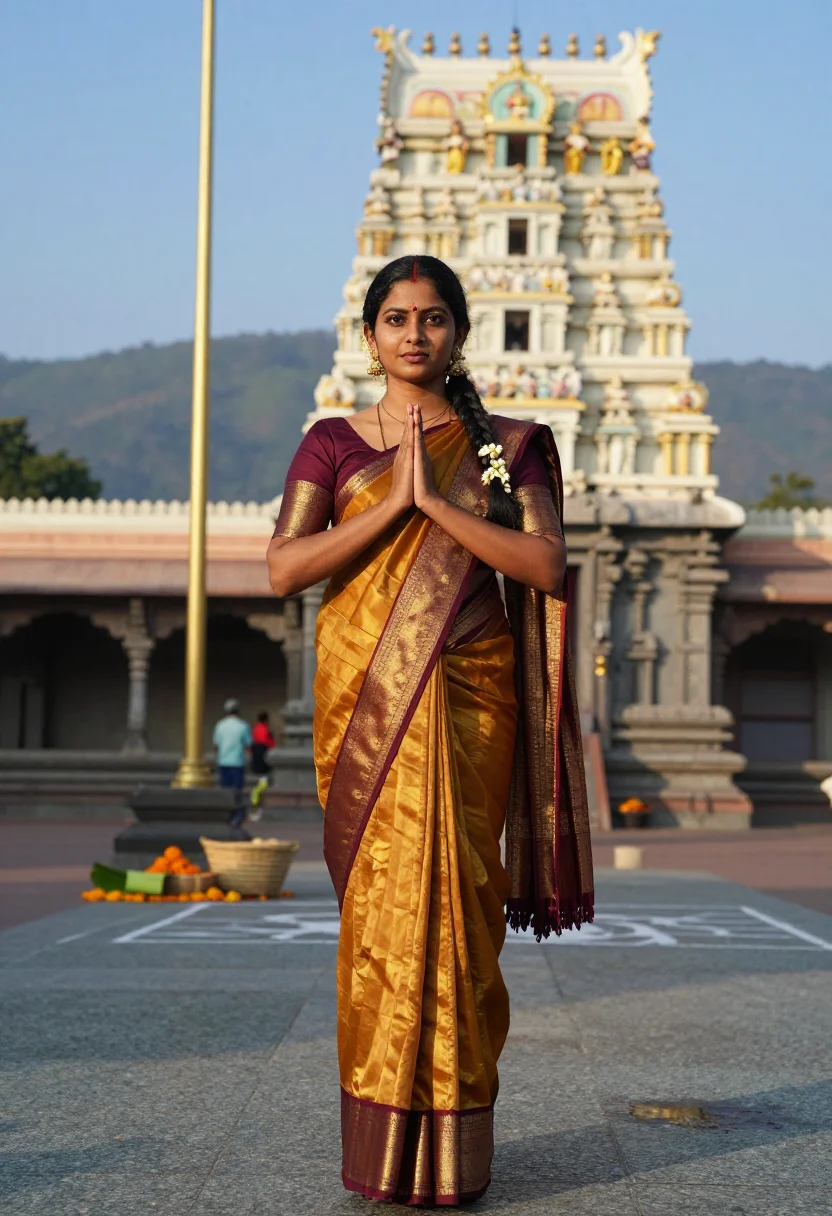
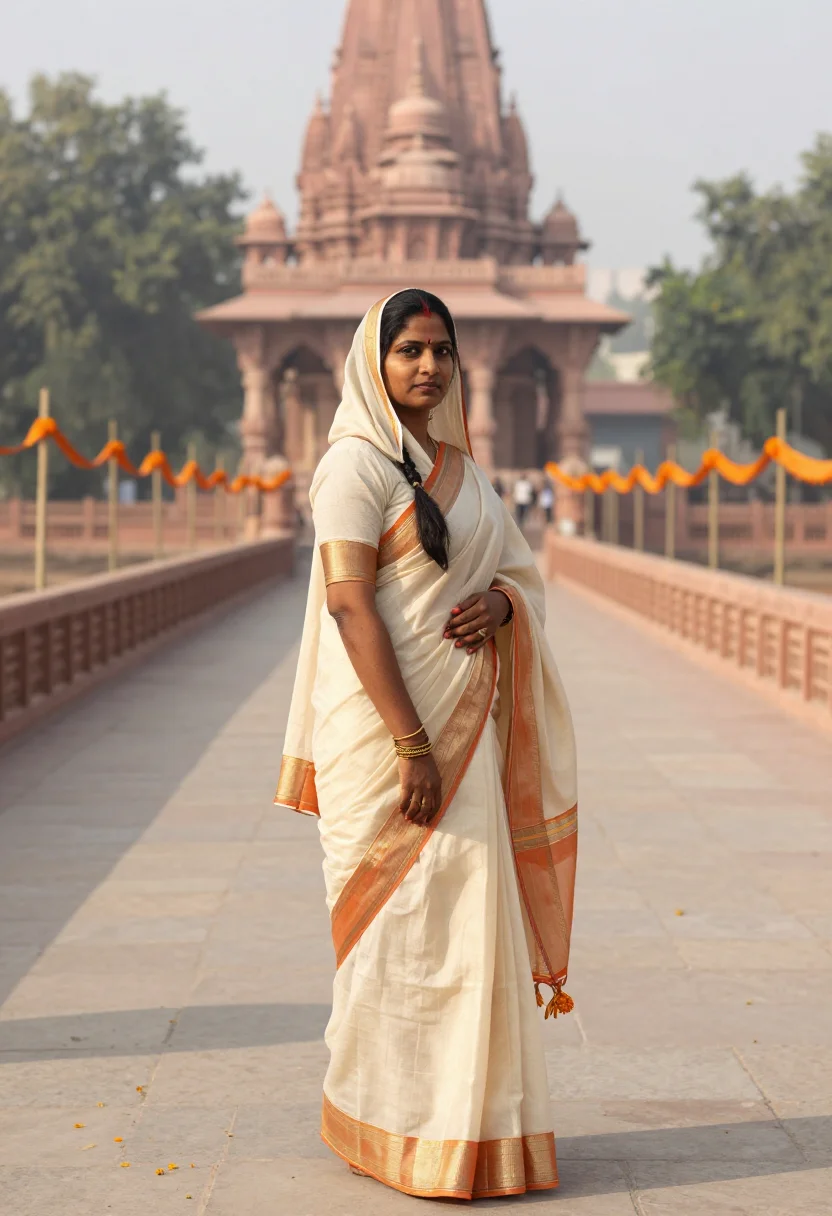
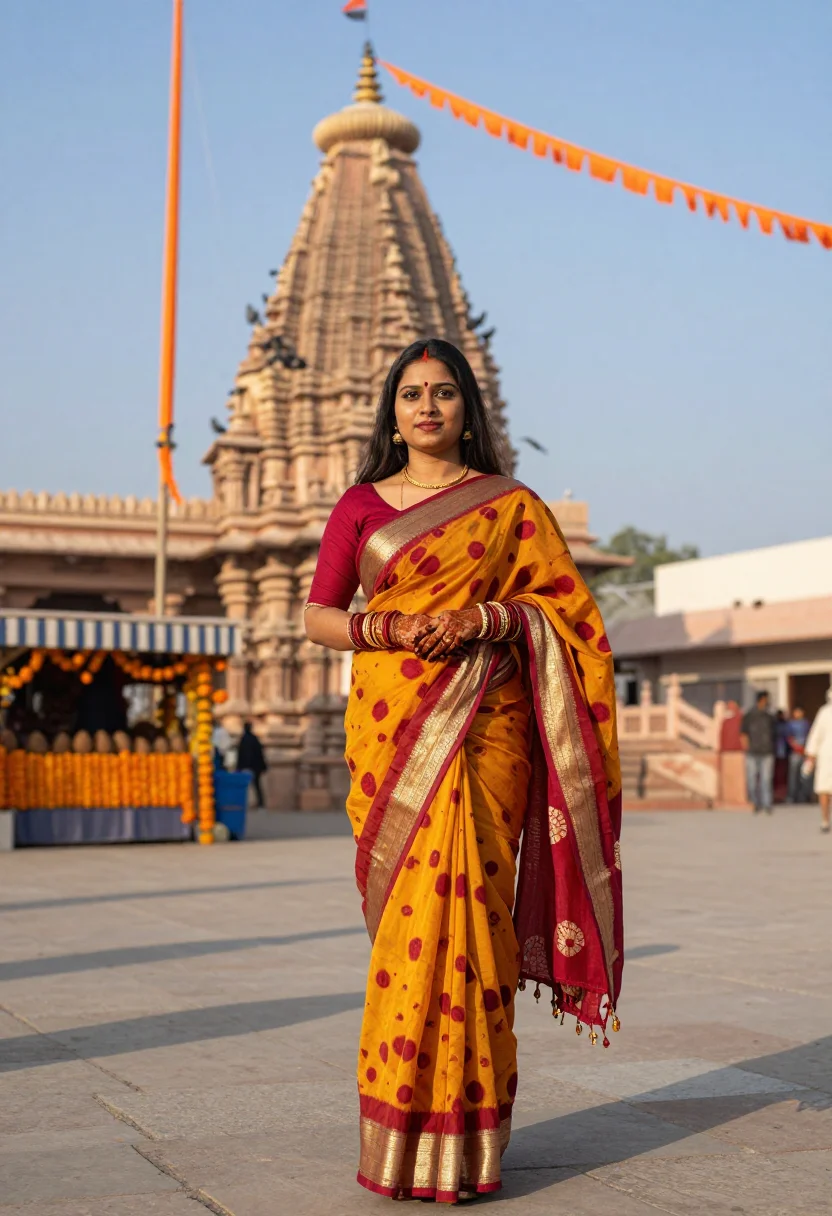
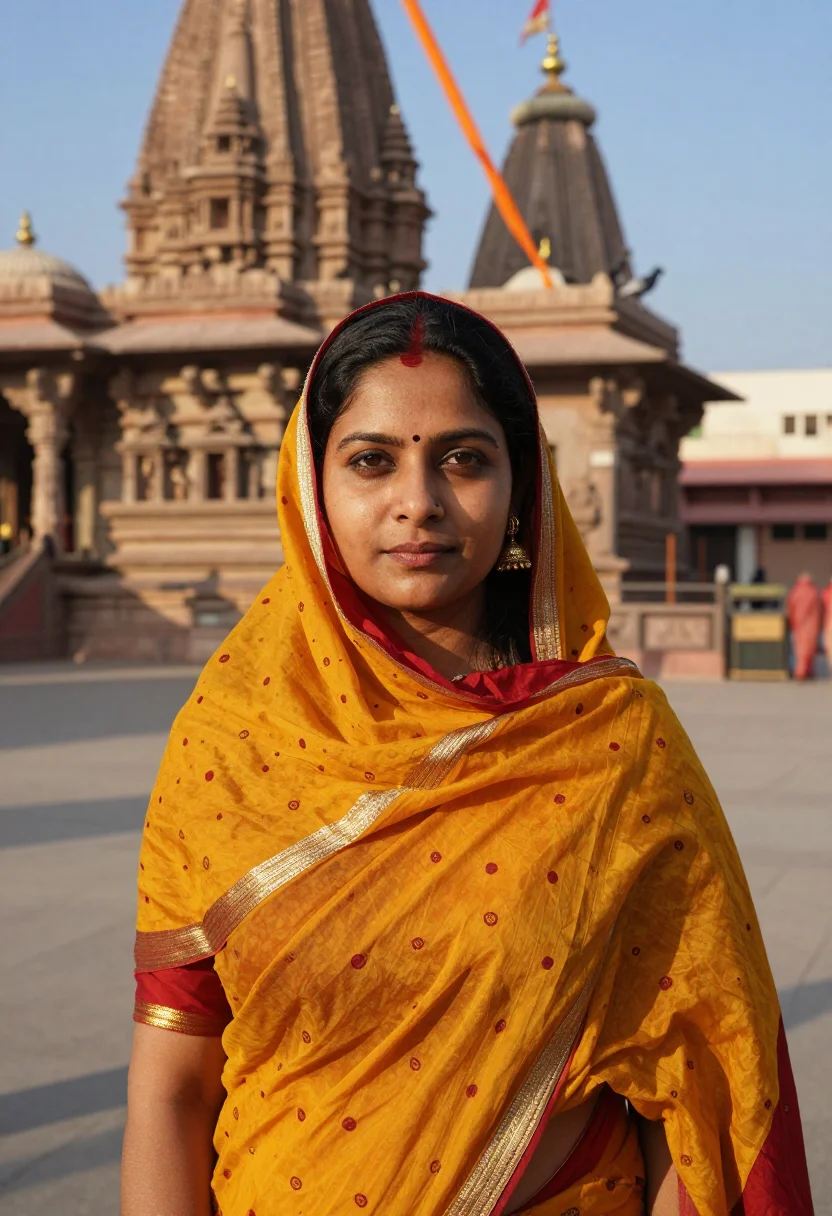
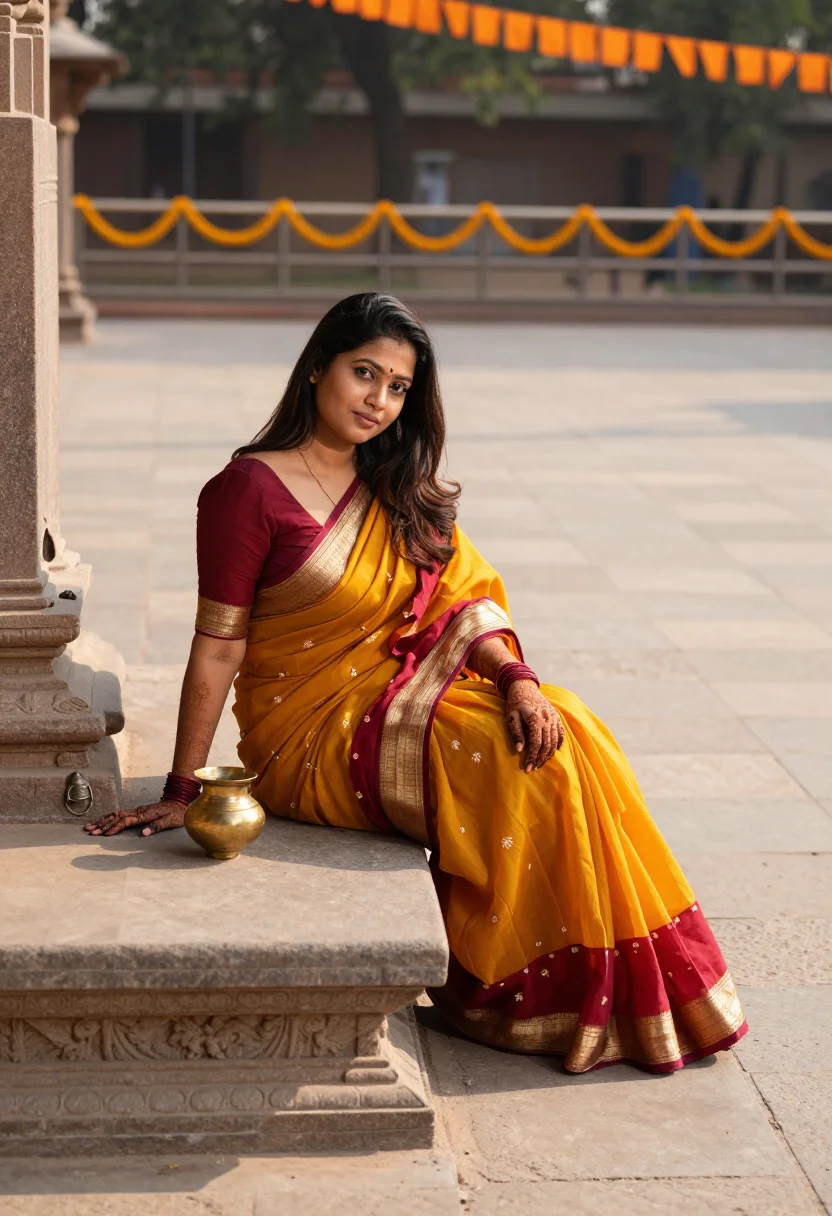
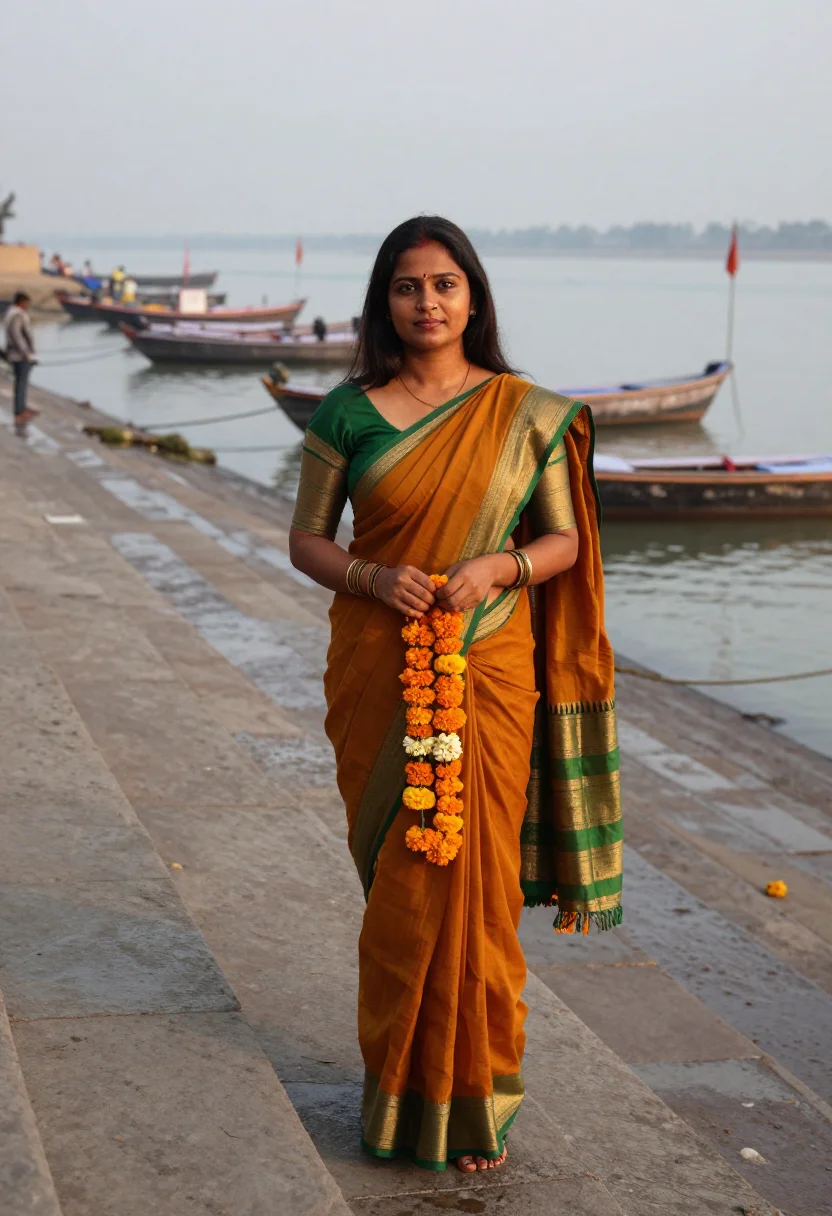
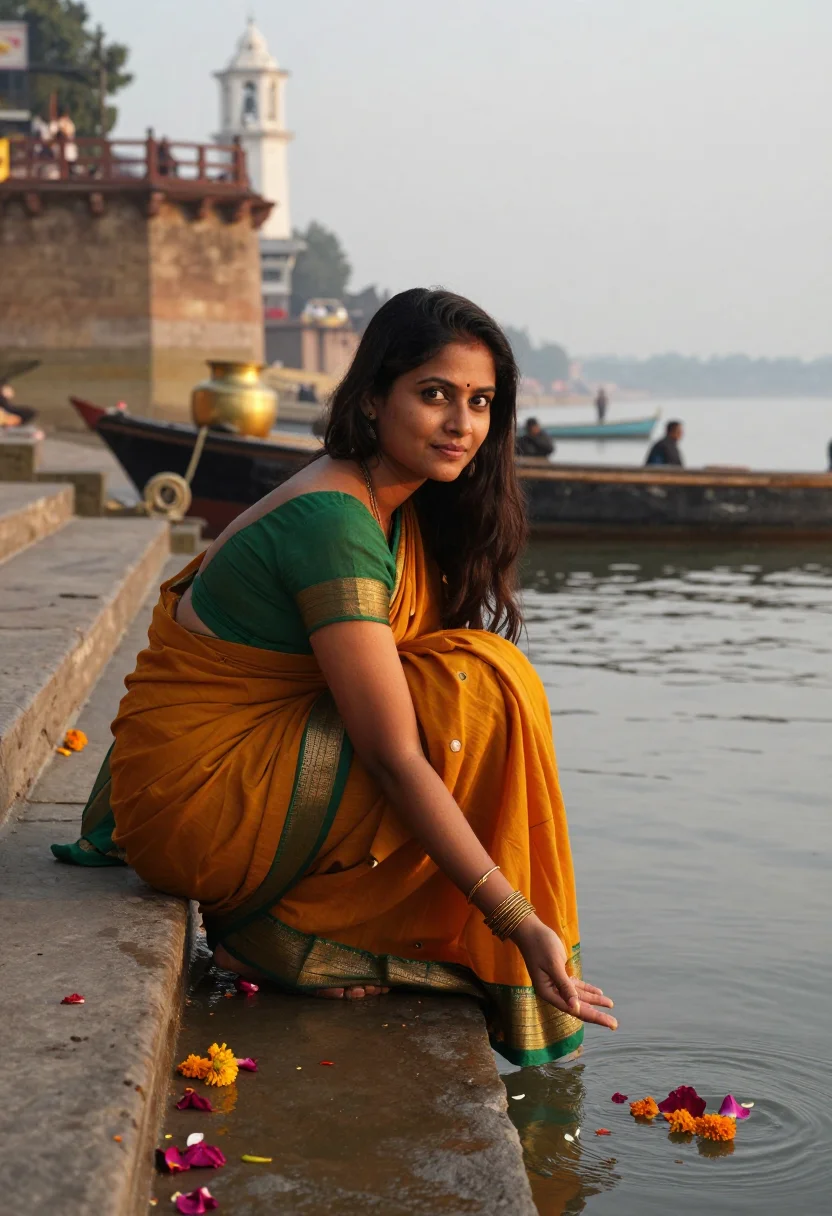
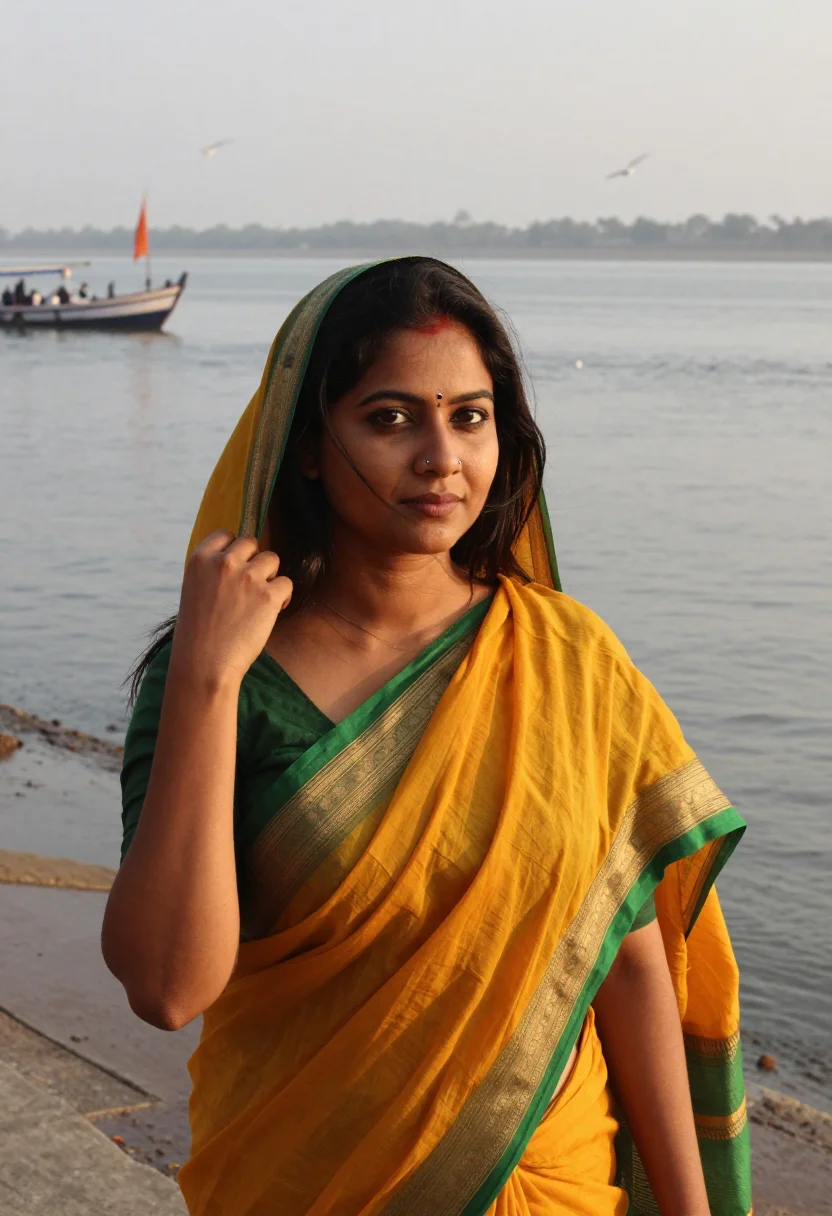
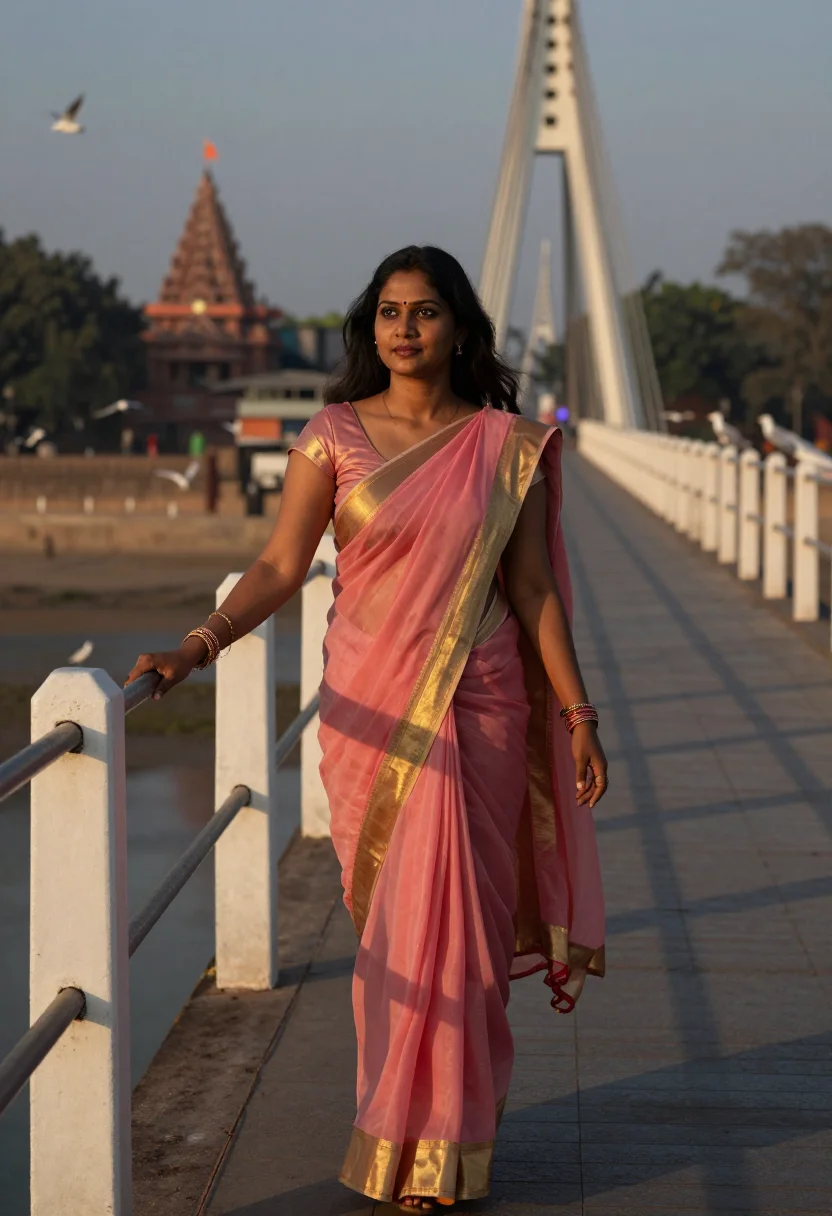
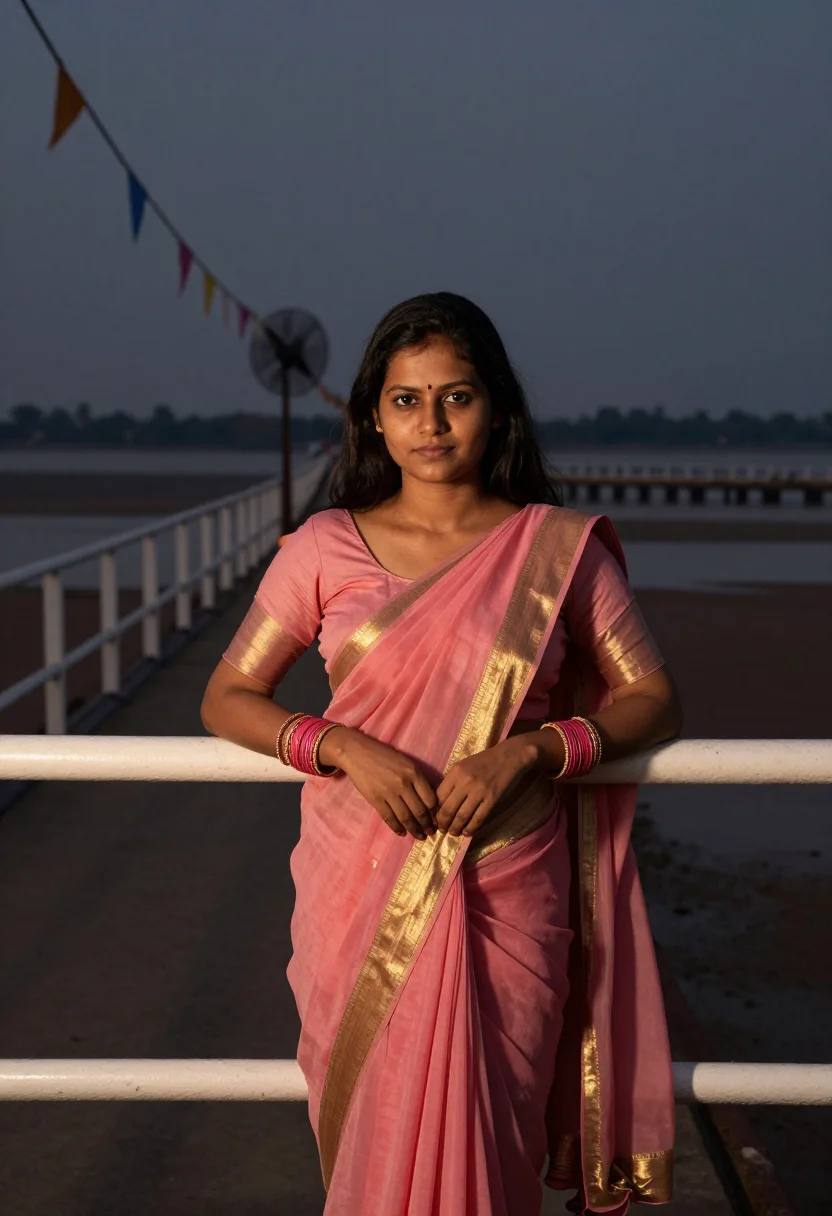
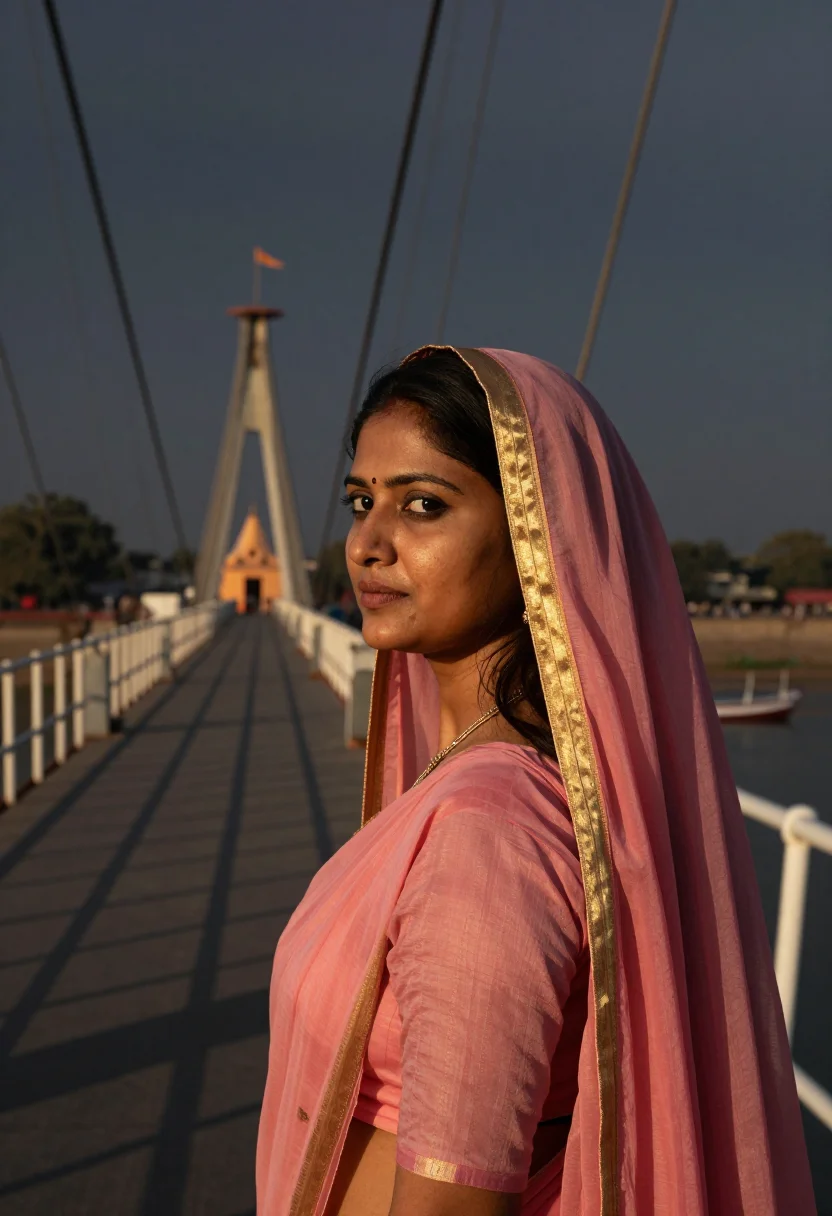
Nine photographs of you, styled at Dwarkadhish Temple's coastal spire, the Sudama Setu bridge, and the temple courtyard, in traditional dress, for devotional and remembrance use, in portrait format. The nine vary in crop, expression and light, so there are real choices, not nine identical files.
/dwarka · lifestyle · 3 scenes
A Dwarka Photoshoot, Held With Reverence
no account · ~15s · try it on with one selfie
More like this
one model wears them all →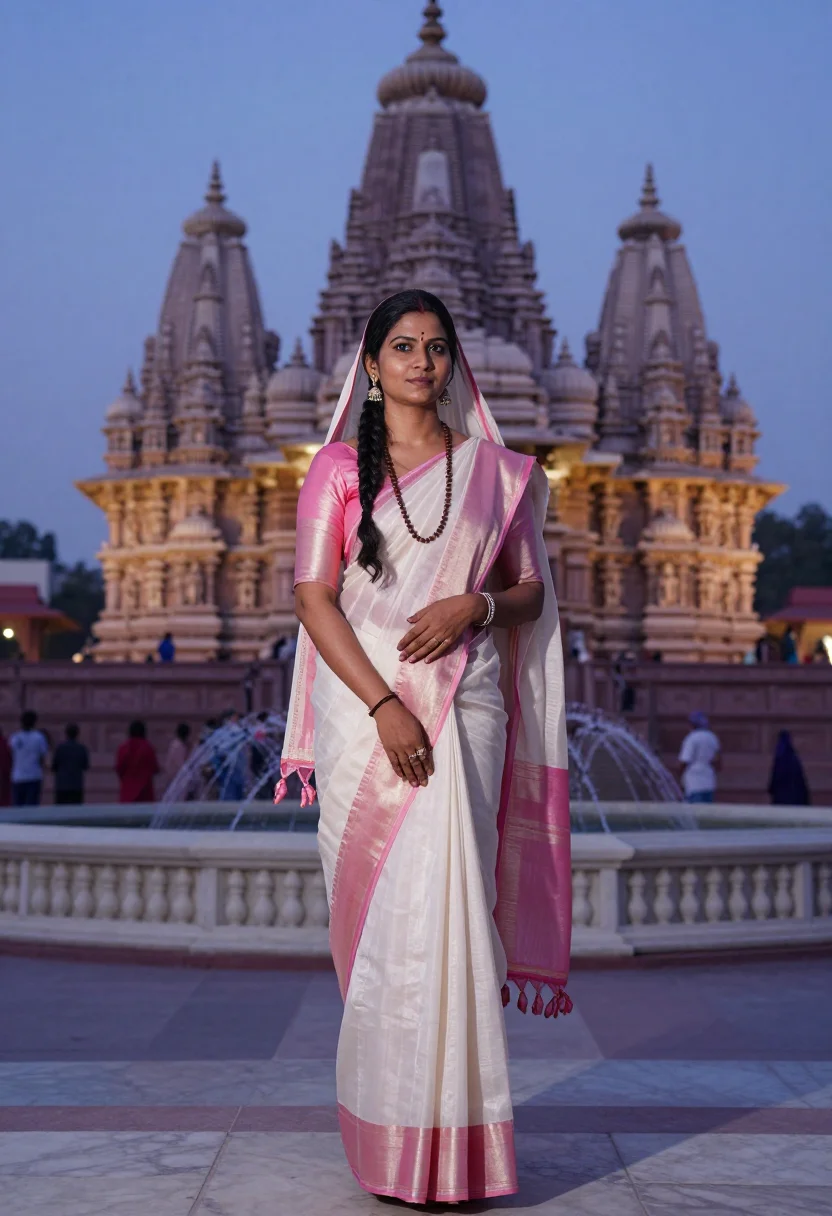
all 9 photos in this pack ↓
How it works
Three steps.
1
Add your photos
Add photos of yourself. We check each one when you add it.
2
We create your model
We create your AI model from your photos. Your photos are ready in a few hours.
3
Every pack, with your face
This pack and every other pack on Narcis can then be made with your face, and single photos too.
The Dwarka photoshoot register
Dwarka sits where Gujarat's coast meets the Arabian Sea, and its Dwarkadhish Temple — dedicated to Krishna as king of this ancient city — has drawn pilgrims for centuries. This pack renders that coastal shrine as a devotional portrait — a keepsake of intention, not a tourist snapshot, and not a fashion shoot. The register throughout is reverence: traditional dress, a calm composed bearing, no glamour styling.
The nine portraits move through three of the temple's defining views. The tall shikhara spire with its fluttering flag, sea-bright sky stretching behind. The Sudama Setu bridge, the coastal inlet and temple silhouette visible across the water. And the temple's courtyard entrance, carved stone and devotees in traditional dress moving quietly toward darshan.
Dress is traditional and modest throughout — a cotton or silk saree in soft coastal colours, sandal-paste tilak, simple jewelry, no embellishment, no skin-baring cuts. What the pack borrows is the spire, the sea light, the temple stone; what it renders is a photograph — photoreal, a real-looking portrait of you at Dwarka, not a painting and not a cartoon.
Honest note: this is a devotional portrait of you, generated by AI and styled at Dwarka — not a photo you took in person. Treat it as a keepsake of devotion or a remembrance for someone who cannot make the journey, not as a record of a visit that didn't happen. If you do visit in person, the temple's own dress code and darshan etiquette apply.
How to photograph yourself for a Dwarka photoshoot
Better source photos make better portraits.
- Even, soft lightStand near a window with indirect daylight on your face. Avoid overhead bulbs and phone flash — both flatten the face and are the usual reason an AI portrait misses your likeness.
- Front or three-quarter angleCamera at eye level, facing it or turned slightly to three-quarter. No selfie-stick uplook, no shot from below.
- Face fully clearHair off the face where possible, no sunglasses. A clear, front-facing photo gives the model the most of you to work with.
- A calm, composed expressionThe register here is quiet and devotional — a soft, settled gaze reads truer against the spire and sea light than a stiff passport face.
- Plain background is fineDon't worry about your own backdrop — Dwarka replaces it. A plain wall behind you just helps the model focus on your face.
Frequently asked questions
- Will it actually look like Dwarka, and like a real photo?
- Yes on both. The temple's spire and flag, the Sudama Setu bridge, and the courtyard stone come back unmistakable in every frame, and the output is photoreal: a real-looking photograph of you at Dwarka, not a painting or a cartoon. The three settings are the spire view, the Sudama Setu bridge, and the courtyard entrance.
- Is this respectful of the temple's sanctity?
- That is the intent behind every choice in the pack. Dress is modest throughout, and there is no glamour styling or playful tourist framing. This is meant as a devotional keepsake, not a fashion shoot borrowing sacred architecture as a backdrop.
- Which Dwarka views does it cover?
- The three that define a Dwarkadhish visit: the temple's tall spire against the sea sky, the Sudama Setu bridge over the coastal inlet, and the courtyard entrance. Nine portraits, three per setting.
- Do I need to have actually visited to use this?
- No. Many people use this as the image of a pilgrimage they hope to make, or as a remembrance for an elder relative who visited long ago and can no longer travel. It stands on its own as a devotional portrait either way.
- How is this different from a real pilgrimage photo?
- A real photograph means the journey to Gujarat's coast, the darshan queue, and someone else holding the camera. This gives you the same reverent frame, for a fraction of the cost, whenever you like. If you are able to make the journey, nothing replaces going — this is a keepsake for the rest of the time.
- Can men use this pack?
- The sample is styled for women in a traditional saree with tilak and simple jewelry.
- Will the photos look like me?
- Every photo looks like you, well photographed. If one is nearly right, say what to change, in your own words.
- Do I have to write a prompt?
- No. There is nothing to write: you pick a pack, and it is ready in seconds.
- How many photos of myself do I add?
- Between six and twenty, from different days and in different light, with your face clear. We check each one when you add it.
- What happens to the photos I add?
- They are used only to create your model, on our own servers in the European Union. They are not shared and not sold.
When the Dwarka pack fits
- For a devotional keepsake of a pilgrimage you've made or hope to make
- For a remembrance gift for a grandparent or elder devotee
- For a printed portrait for a home altar or family room
- For a spiritually meaningful profile picture, kept modest
- For someone who cannot travel to Gujarat's coast but still wants the image
- For a family archive alongside photos of an actual visit
- For a quiet, reverent desktop or phone wallpaper
- For a card or memento marking a spiritual milestone
About narcis
Most AI photo tools put every pose, job, era, and style in one giant catalog. The photos all look like every other AI photo on the internet — a glaze over a stock face. Narcis goes the other way. One job: photos of you that look like photographs. You add at least 6 photos of yourself, and we create your AI model from them. Your photos are ready in a few hours, and we email you when they are. Then this pack and every other pack on Narcis can be made with your face. Each pack is curated against real references — paintings, photographers, places — and tested on real faces before it goes live. Built and run by one small team, on our own servers.
All images are AI-generated. By using this service, you confirm you are 18+, that any face photo you upload is your own or used with explicit consent. Full Terms