AI Kowloon Noir Generator — Free Preview, Then Train Your Model
See a Free Preview in Seconds, Before You Commit
Train Your Model Once, Render Kowloon Noir in About Ten Seconds
Studio-Quality Results Without a Studio Visit
Narcis generates a free preview of your kowloon noir from one uploaded photo. The preview streams in seconds — a quick sketch, close but not you yet. If you like it, train your model once — 12 to 20 photos, we email you when it's ready — and the full pack of nine is €4,99, rendered from your model in about ten seconds a portrait. No signup before the preview, and no waiting for an email until you choose to train.
The pack is nine professional kowloon noir rendered in portrait aspect ratio (2:3) — the shape LinkedIn banners, CVs, and print profiles actually use. Each image shows varied crops, expressions, and light angles so you have real choices, not nine identical files.
Photos are processed on European servers. We use your photo to generate your headshots; we do not share it with third parties.
/kowloon-noir · lifestyle · 3 scenes
A Qipao Photoshoot — 1960s Hong Kong Noir Portraits
no account · ~15s · the first shot is free
More neon harbors
one model wears them all →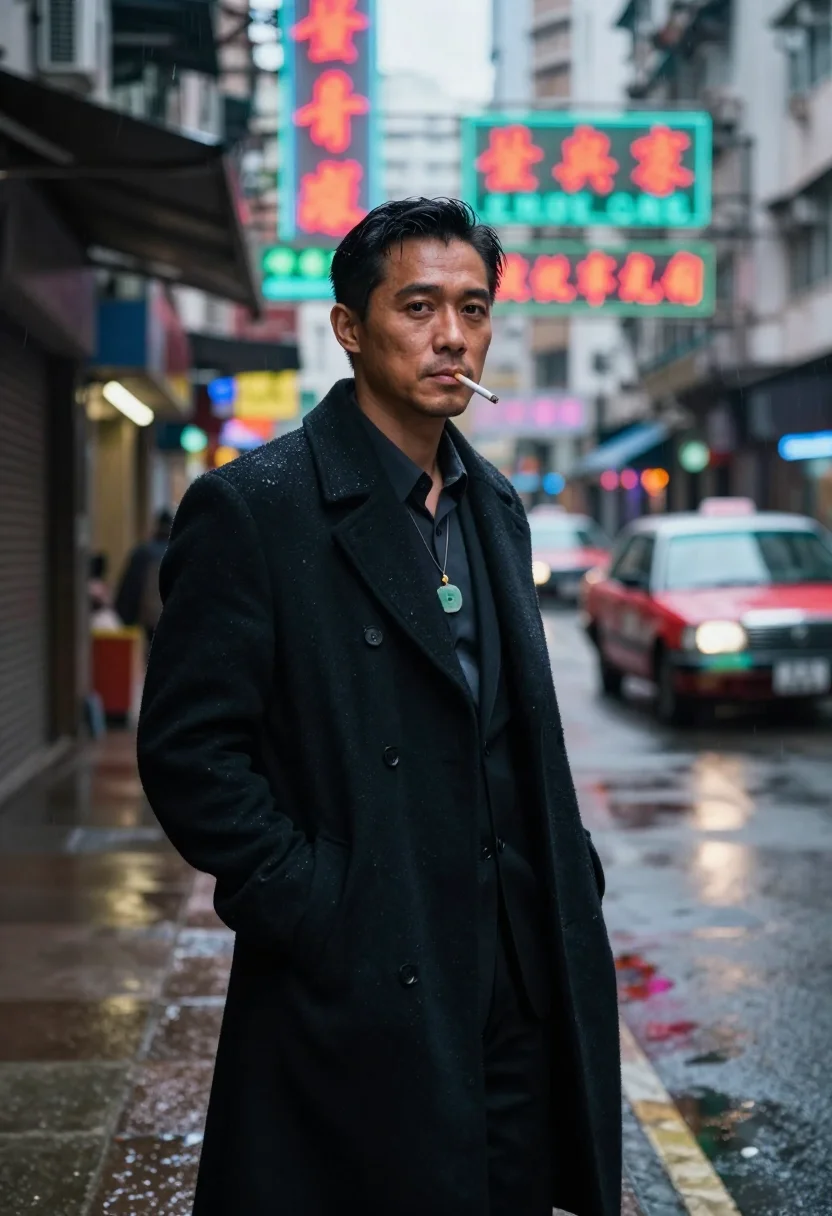
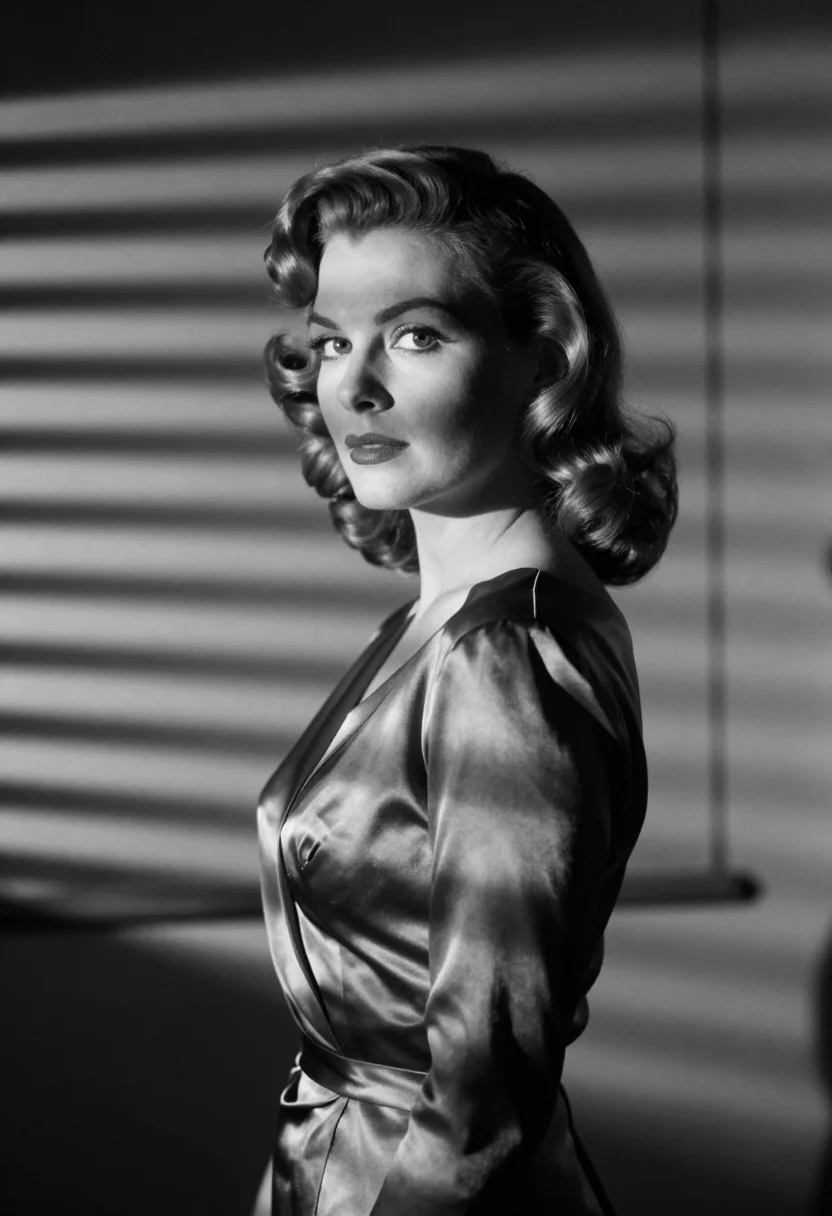
all 9 looks — from one photo ↓
How it works
Three steps. Upload, preview, deliver.
1
Upload 1 to 5 selfies
One is enough for the free preview. More angles sharpen the likeness.
2
See a free preview
A quick sketch of your likeness streams in seconds — close, not you yet, before you pay.
3
Train your model, then unlock 9
€4,99 one-time. Train your model once — 12 to 20 photos, we email you when it's ready — and all nine render in about ten seconds each. Every future pack and Studio portrait render the same way, no repeat training.
The 1960s Hong Kong qipao register
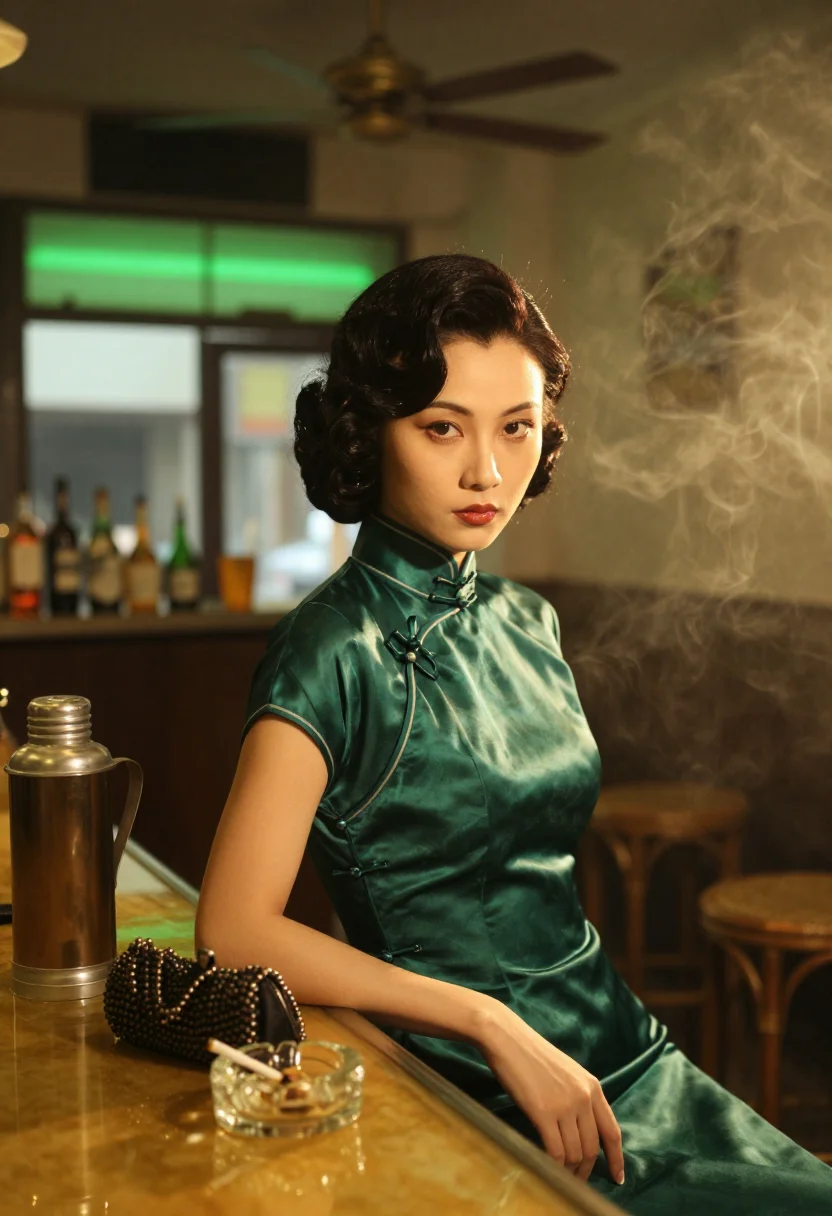
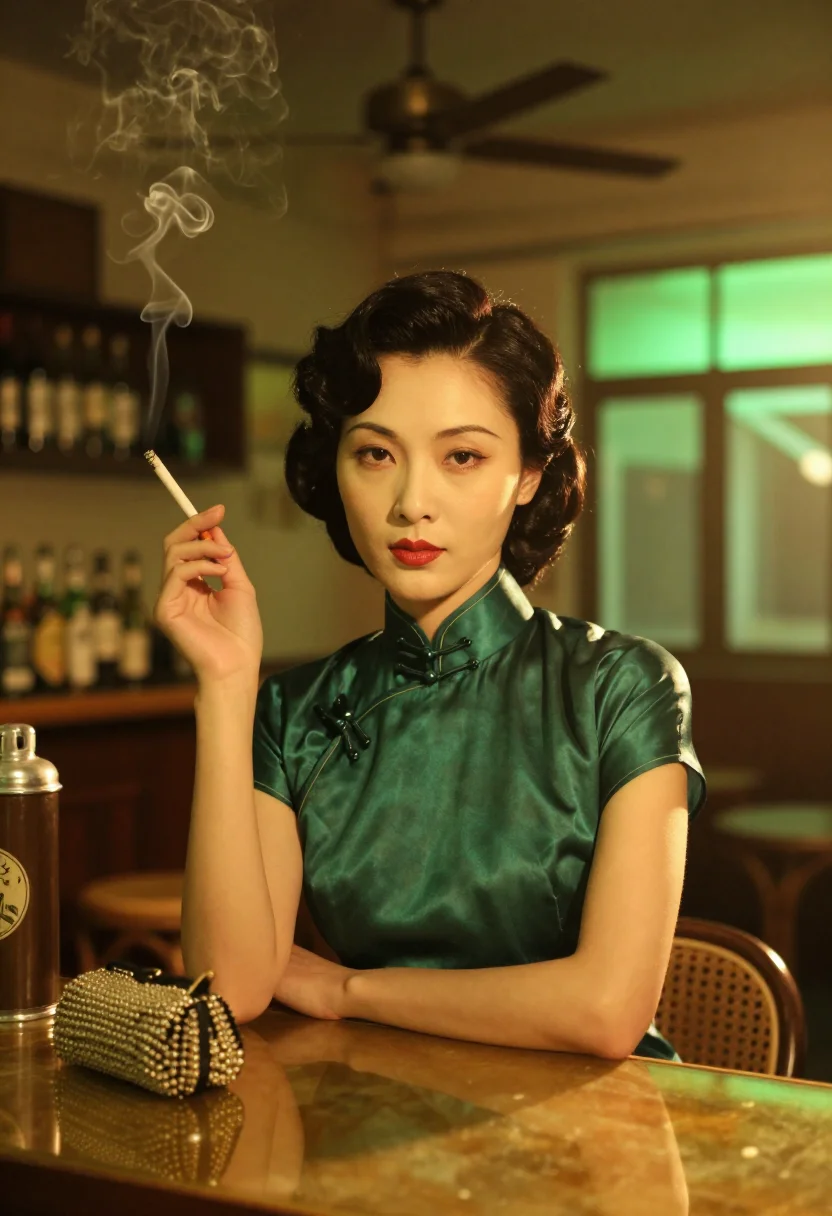
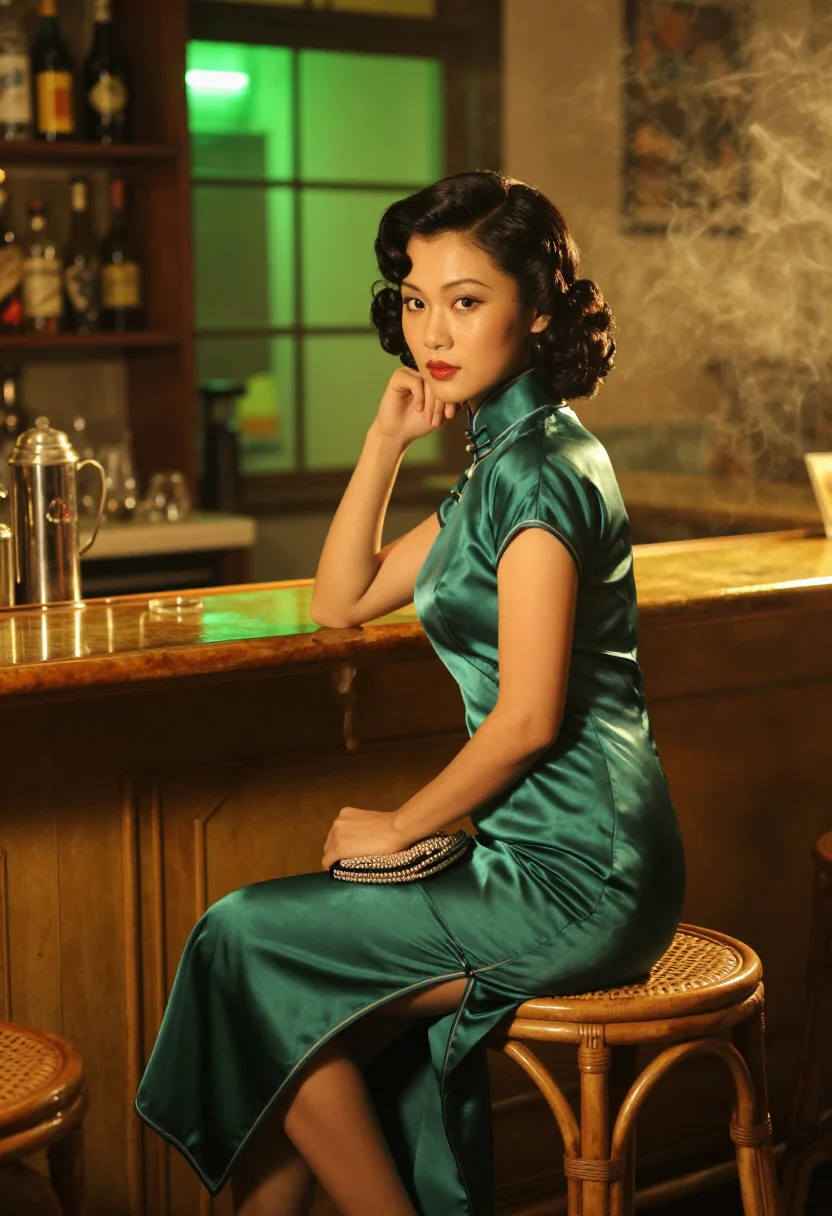
The editorial soul is Hong Kong in 1962, and specifically the colour language a certain strand of Hong Kong art cinema built out of it: a Tsim Sha Tsui bar of rattan stools and amber glass, a ceiling fan turning slowly through cigarette smoke, rain outside running the neon of a dozen vertical signs down into the gutter. The qipao at the centre of it comes from a Shanghainese tailor in the next street — high collar, frogged buttons, side slit — and it is worn with the small ordinary things of the period: a tea thermos, a beaded clutch, a wall clock stopped at ten past two.
Photographically that means a saturated, close, slightly claustrophobic frame. Tungsten light comes through smoke as warm amber; green neon sits at the window behind it, so the two temperatures collide inside a single image. Jade green and lipstick red carry the wardrobe, jade and black carry the accessories, and the colours are graded rich rather than pastel. Framing favours medium and close portraits with a lot of foreground — a shoulder, a doorframe, the edge of a fan blade — the way that cinema tended to watch its subject from just around a corner rather than head-on.
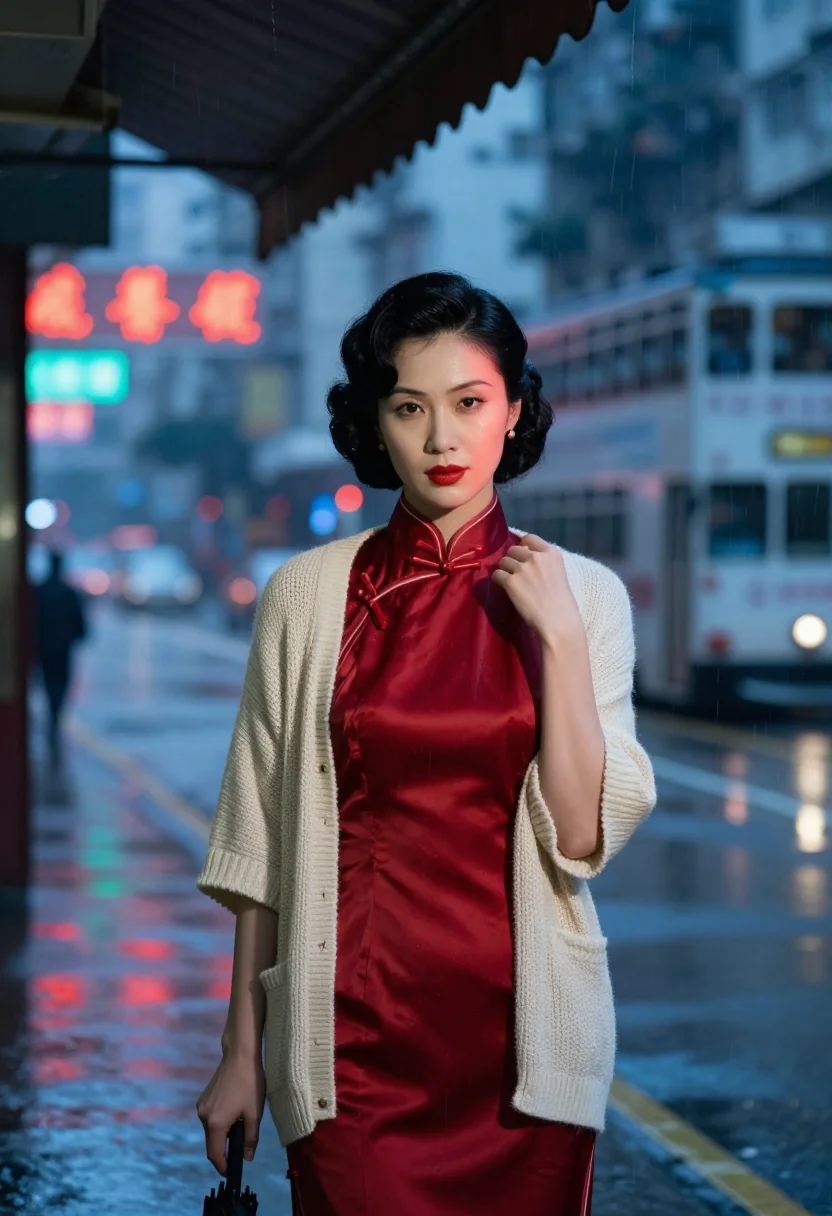
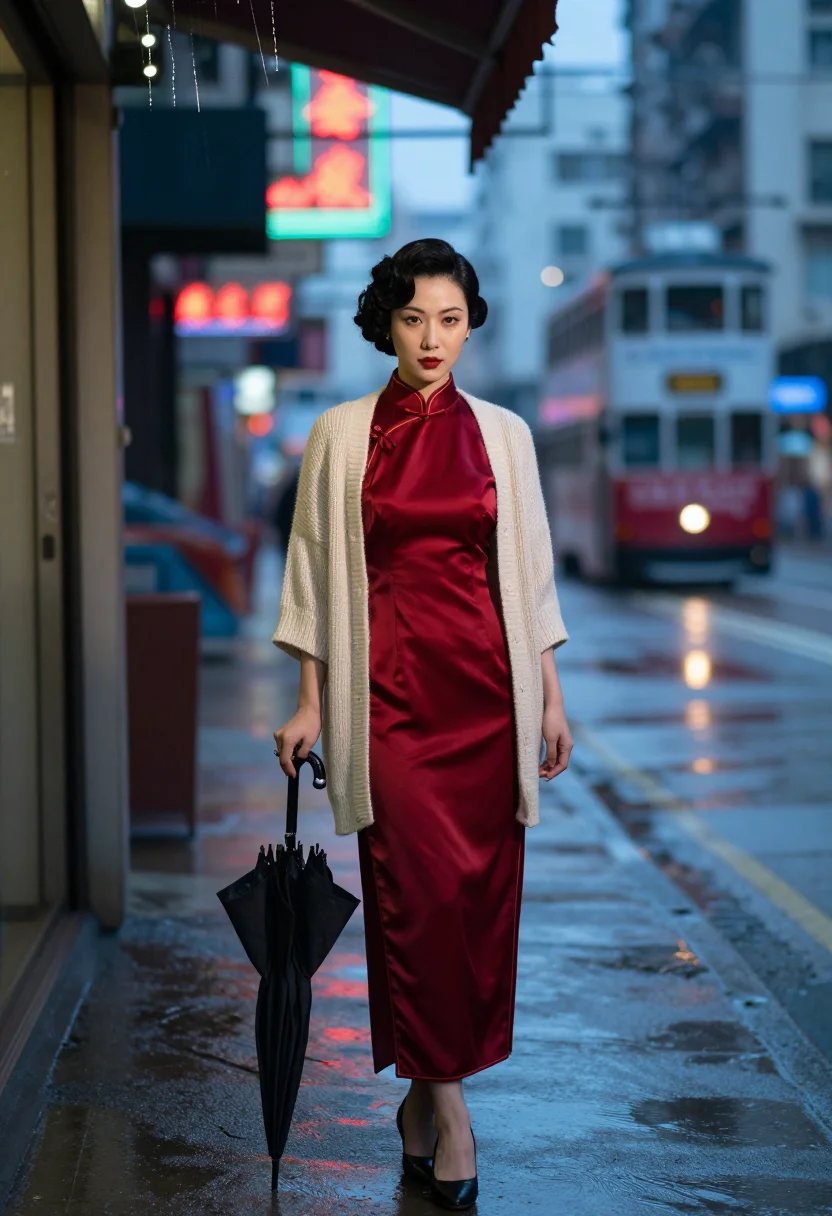
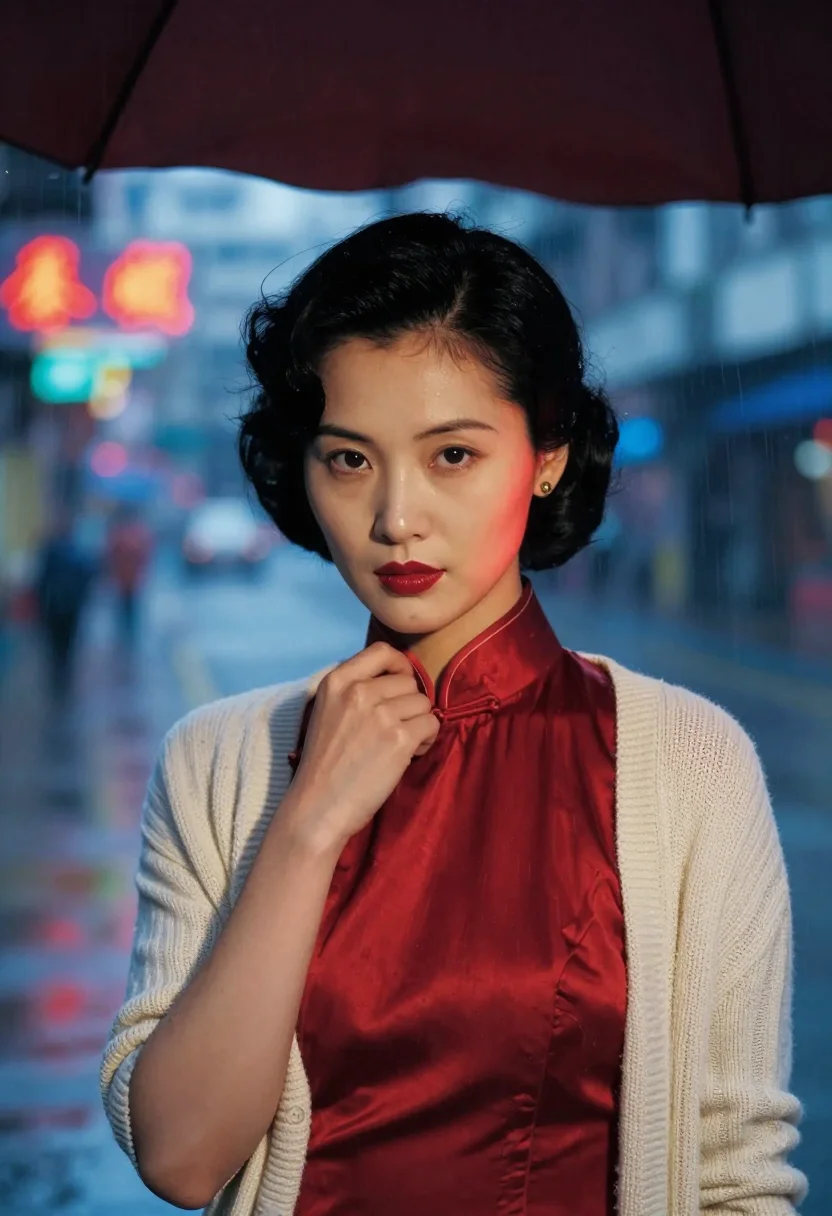
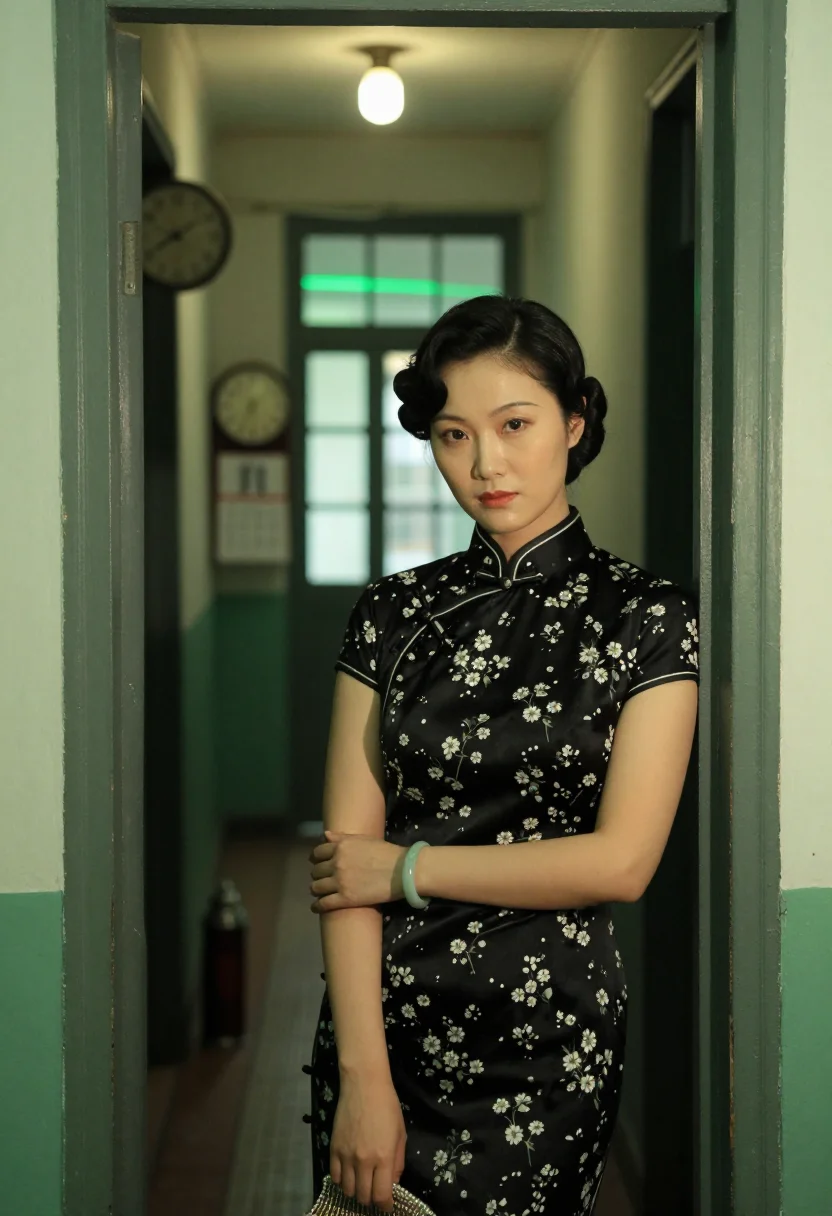
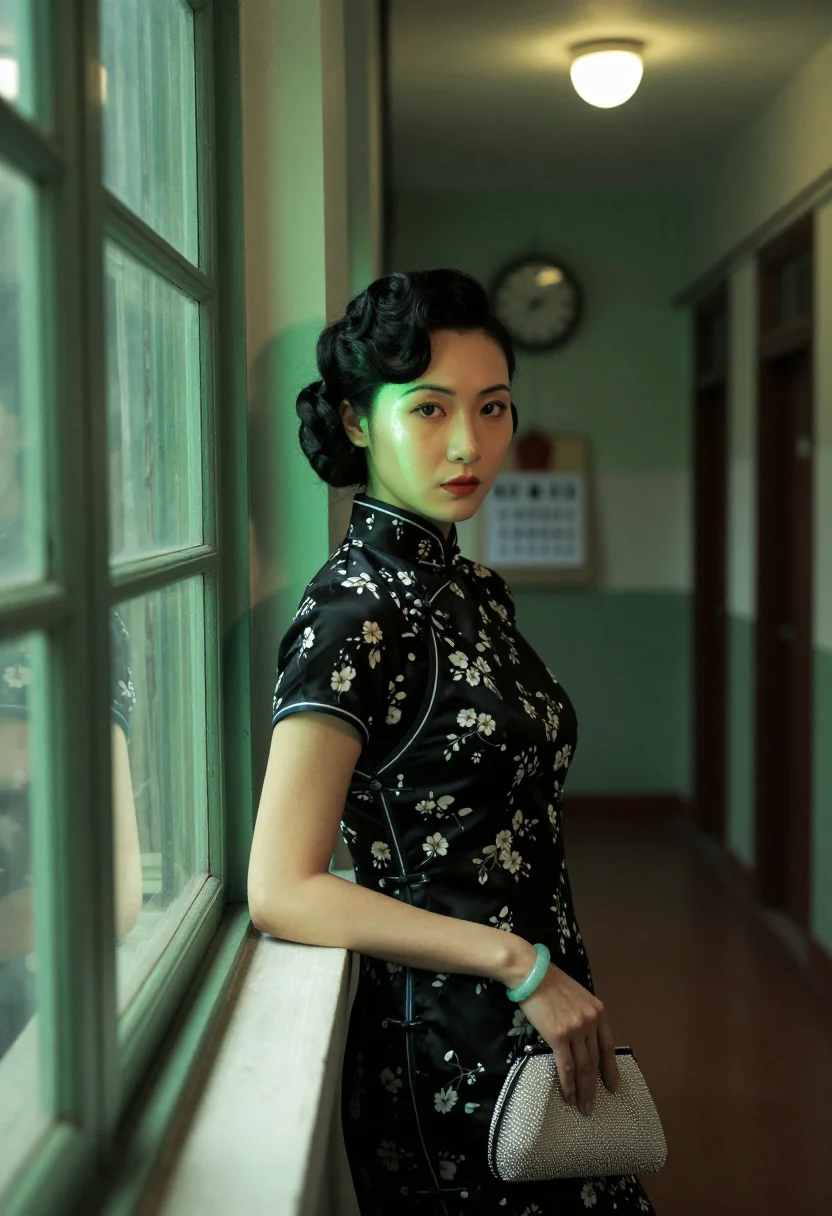
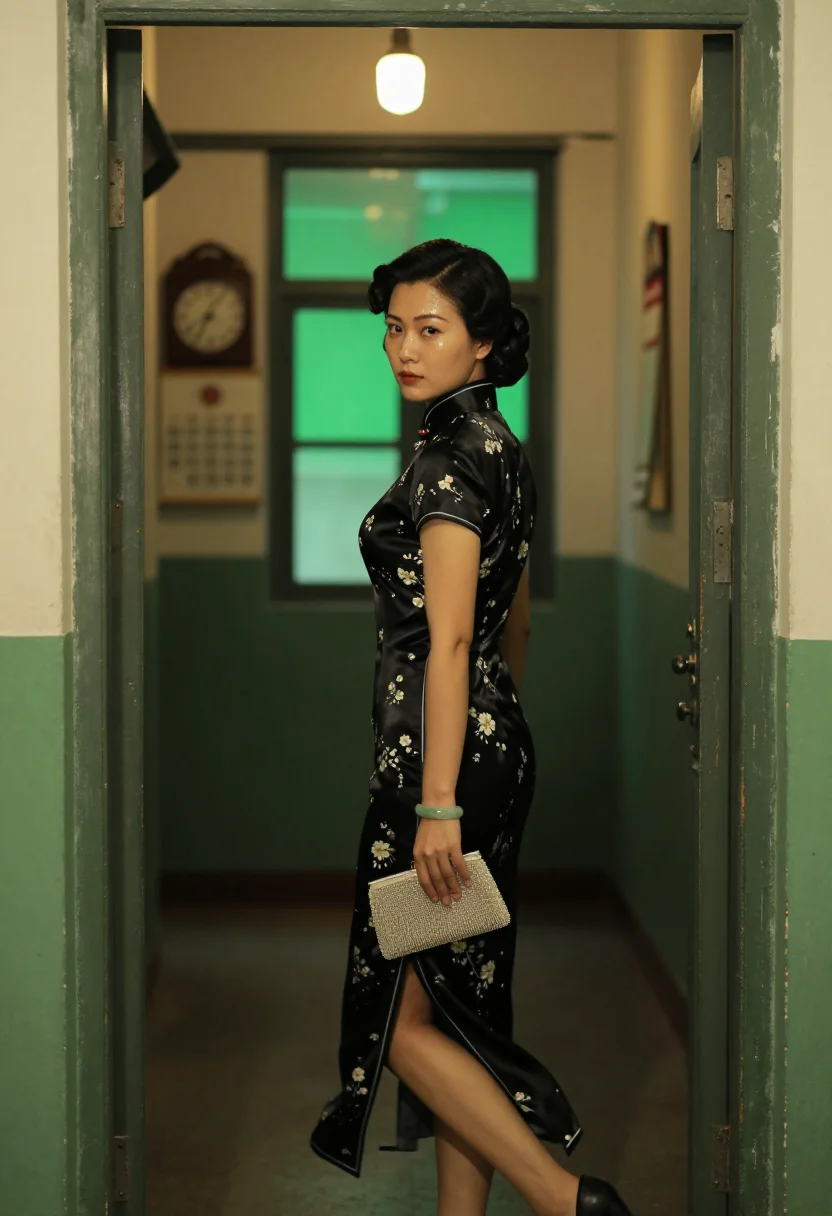
Three situations carry the nine frames. The Tsim Sha Tsui bar, in a jade-green qipao with hair set and pinned, thermos and beaded clutch on the counter, the fan turning above. Under a shop awning with rain sheeting off the edge, a lipstick-red qipao under a cream cardigan worn over the shoulders, black umbrella, vertical neon bleeding into the wet road as a tram passes. Then a 1960s walk-up corridor, a black qipao printed with small white flowers, jade at the wrist, one bare bulb overhead and the wall clock stopped at ten past two.
What comes back is a photograph, not a painting or a filter over a snapshot. These are photoreal AI portraits of you in the cheongsam and the light of that period — your own face across all nine frames, with the tailoring, the era and the neon doing the styling around it.
How to photograph yourself for a 1960s qipao photoshoot
Better source photos make better portraits. The pack works from an ordinary phone selfie — the free preview tells you in seconds — but a few things sharpen the likeness so the cheongsam portrait really looks like you.
- Even, soft lightStand near a window with indirect daylight on your face. Overhead bulbs and phone flash flatten the features, and that is the usual reason an AI portrait misses a likeness.
- Front or three-quarter angleCamera at eye level, facing it or turned slightly to three-quarter. The output frames are often watched from an angle, but the source photo should be straight and level.
- Face and neck clearHair off the face, glasses off, neck visible. The qipao's high collar sits right at the jaw, so a source photo that shows your neckline helps the tailoring read correctly.
- A quiet, contained expressionThis register is restraint — a level, unhurried look. It reads far better against amber smoke and green neon than an open smile.
- Plain background is fineDon't stage a room — the bar, the awning and the corridor are replaced. A plain wall just helps the model concentrate on your face.
Frequently asked questions
- What does the 1960s Hong Kong pack actually look like?
- Nine photoreal portraits of you in 1962 Hong Kong: an amber-lit Tsim Sha Tsui bar under a slow ceiling fan, a shop awning with rain sheeting off it into neon-lit road, and a walk-up corridor under a single bare bulb. High-collar qipao in jade green, lipstick red and black. It looks like a frame from a period film, not like a painting.
- Is the qipao historically accurate?
- The cut is the period one — high collar, frogged buttons, side slit, fitted the way a Shanghainese tailor in Hong Kong would have cut it in the early sixties. It is styled for the register rather than reconstructed from a museum pattern, but nothing in it is anachronistic.
- Does it look like me?
- It is built to. Whichever face you upload drives every frame, so the nine come back with your features under the set-and-pinned hair, consistent across all three settings rather than nine different women.
- Can men use this pack?
- The sample and styling are built for women — the qipao is the entire silhouette — so it reads feminine. A men's or mixed version of this pack isn't shipped yet; the Hong Kong triad pack covers the men's side of the city's noir register.
- Is this a depiction of a real person or a specific film?
- No. This is a colour and wardrobe register drawn from 1960s Hong Kong and the art cinema that made it famous — an inspired-by aesthetic, not a portrait of any real named individual and not affiliated with any film, studio or franchise. The images are AI-generated and the only real person in them is you.
- How is this different from Midjourney or Lensa?
- Text-to-image tools will render a woman in a cheongsam who matches a prompt; avatar apps return stylised images that read plainly synthetic. This pack anchors every frame to your uploaded face and holds it photoreal, so all nine are recognisably you in the same period styling.
- What if my only photo is an ordinary phone selfie?
- One clear selfie is enough to start. The free preview shows the likeness in seconds, and if it comes back soft the prep tips above fix it — nine times in ten the answer is lighting.
- Can I use it as a profile picture or a dating photo?
- Yes as a profile picture — it is elegant and immediately distinctive. On a dating app, use it honestly as what it is: a styled period portrait rather than a photo from last weekend.
- Can I use it for a wedding, an anniversary or a family gift?
- It is one of the pack's best uses. A cheongsam portrait carries real weight as a gift to a mother, a grandmother or a partner, and the register is dignified rather than costume-y.
- Does it print well?
- Yes. The frames come in portrait aspect ratio at a resolution that holds up framed, and the saturated amber-and-jade grade is particularly good on matte paper.
- What happens to the photo I upload?
- Your preview photo is processed on European servers. If you train your model, those photos train only your model and are deleted the moment you delete your model. Nothing is sold or shared with third parties.
When the 1960s Hong Kong pack fits
- For a profile picture with restraint and real colour in it
- For a social post in a period register the feed isn't already full of
- For anyone who has always wanted a qipao portrait without commissioning the dress
- For a gift to a mother, grandmother or partner who loves the era
- For a wedding or anniversary keepsake image in a traditional silhouette
- For a print or framed portrait in jade green, lipstick red and amber
- For a phone or desktop wallpaper with rain and neon in it
- For a dating profile photo, used honestly as a styled period portrait
- For an author, singer or newsletter portrait that wants a cinematic mood
- For Halloween or a themed party, as cheongsam styling reference on your own face
- For anyone building an old Hong Kong mood board who wants themselves inside it
About narcis
Most AI portrait tools ship every pose, profession, era, and aesthetic in one giant catalog. The output looks like every other AI photo on the internet — a glaze over a stock face. Narcis goes the other way. One tool, one job: turn photos of you into portraits worth keeping. Drop a selfie and your free preview streams in seconds — a quick sketch: close, not you yet. For portraits that are truly you, train your own model on 12 to 20 photos; it trains in the background, and we email you when it is ready. Train once, render everywhere — this pack, every other pack, and the Studio all come out of that one model, about ten seconds a portrait, and it stays yours to retrain or delete. Each pack is hand-curated against actual references — paintings, photographers, registers — and tested on real faces before it ships. See a free preview before you pay, not after. Packs are one-time — no subscription to buy one; Studio, the unlimited composer, is optional at €12/month and every pack includes 30 days of it. No template generator. Built and run by one team, on our own infrastructure.
All images are AI-generated. By using this service, you confirm you are 18+, that any face photo you upload is your own or used with explicit consent. Full Terms