A Punta Cana Photoshoot, Framed by Palms
Nine photos of you in one setting
How your model is created from your photos
Every pack on Narcis, made with your face
Nine photographs of you in one setting: one pack of the Narcis catalogue.
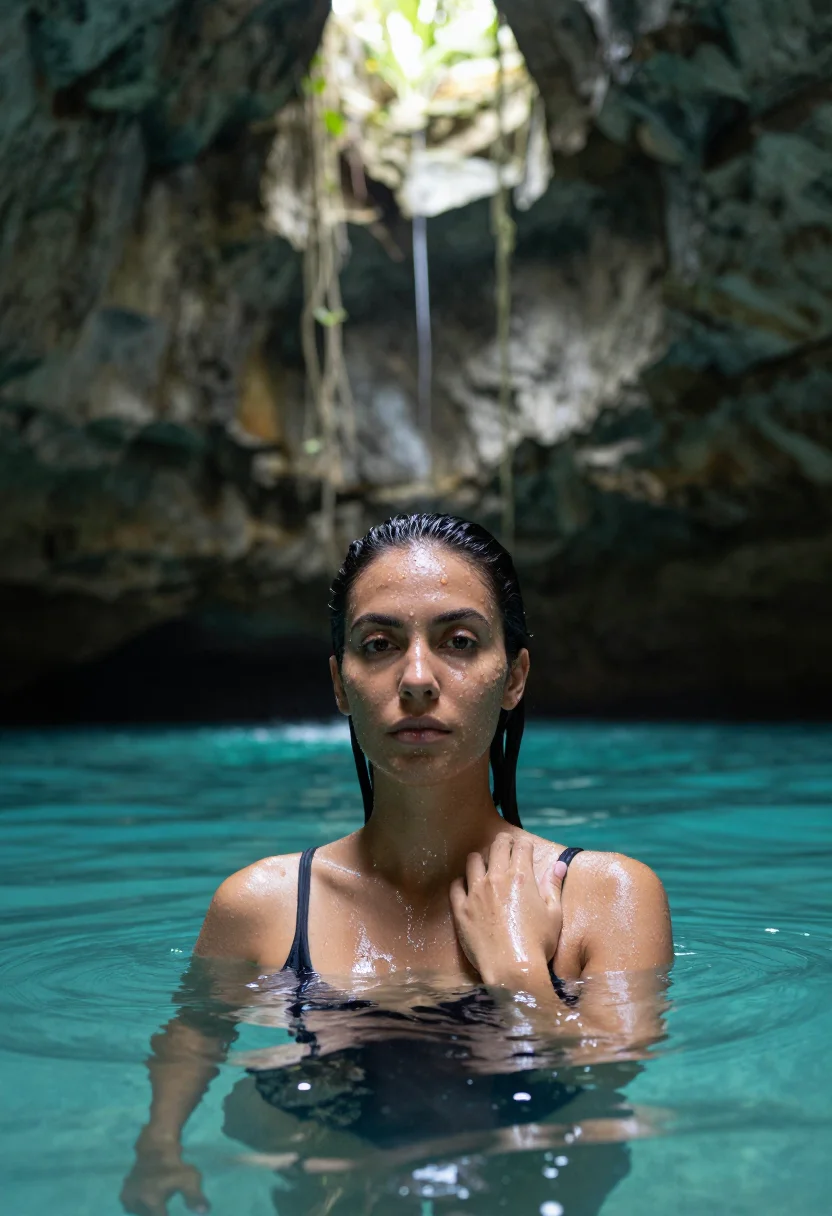
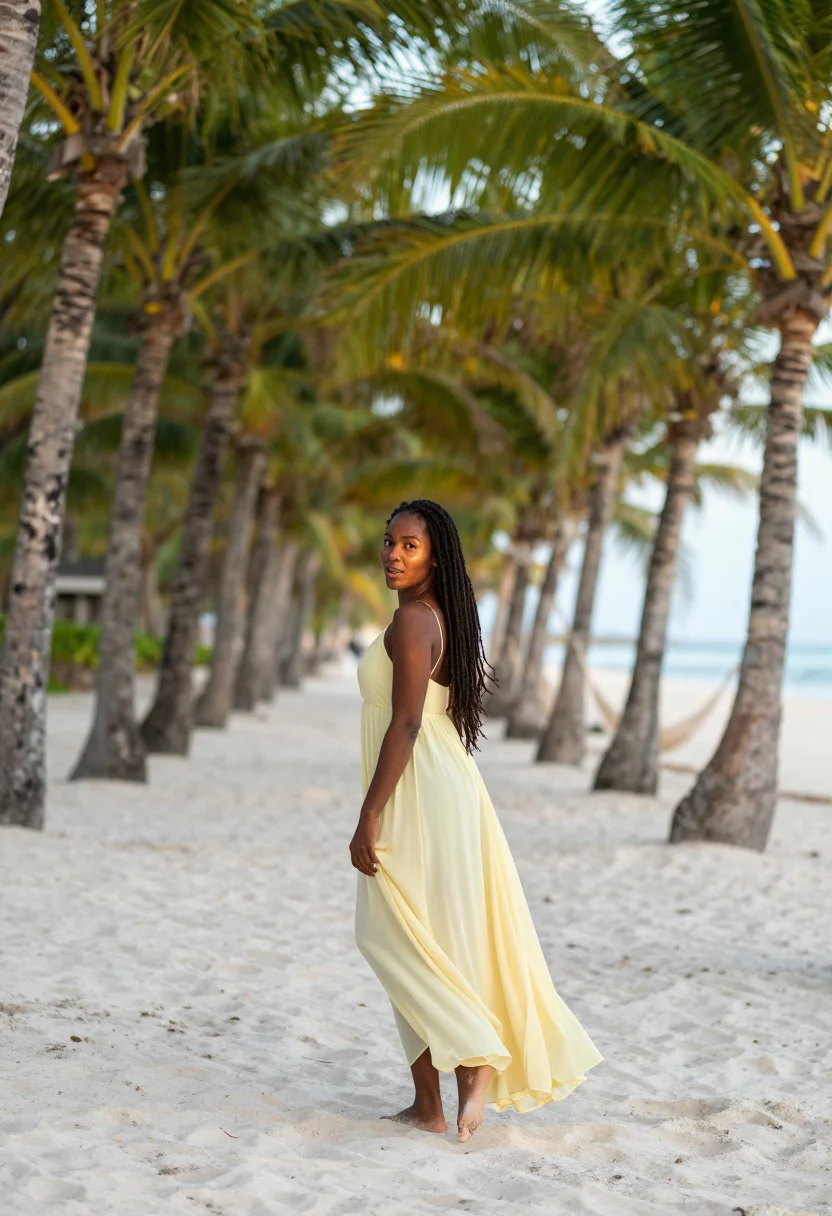
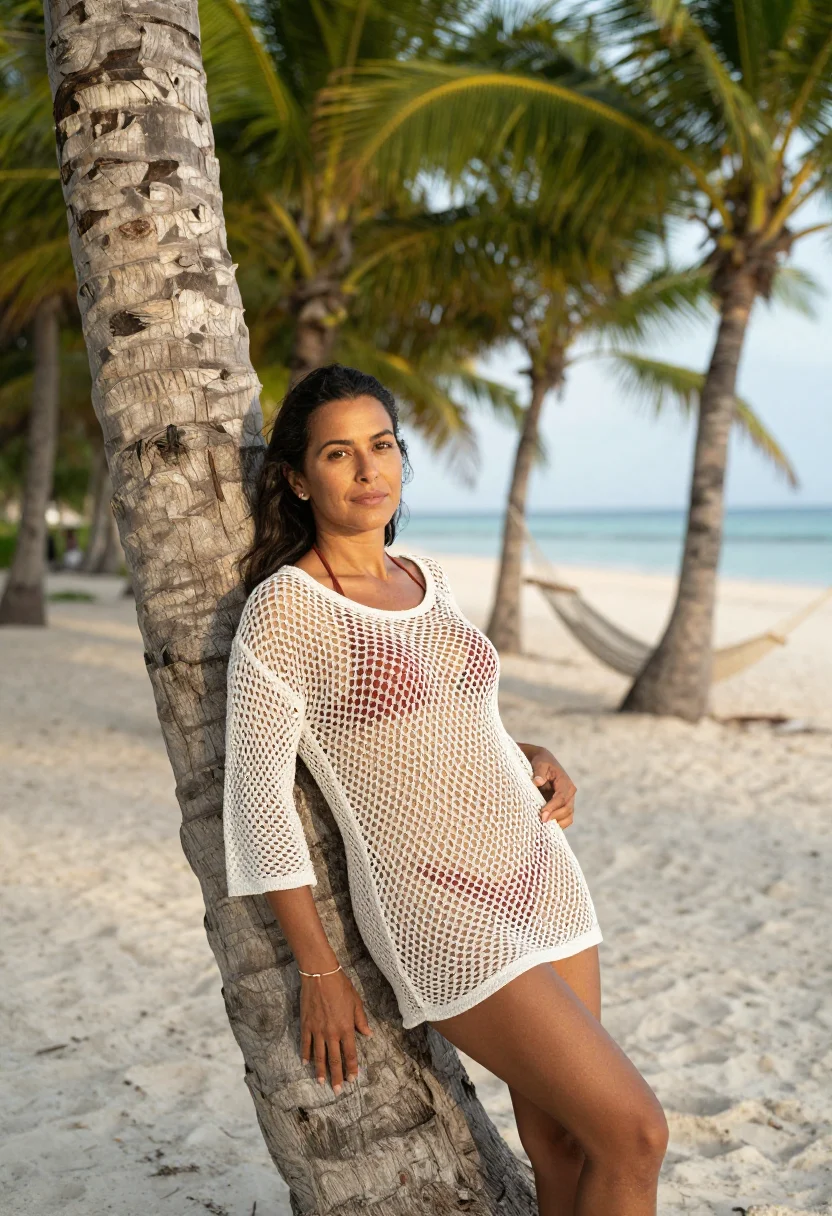
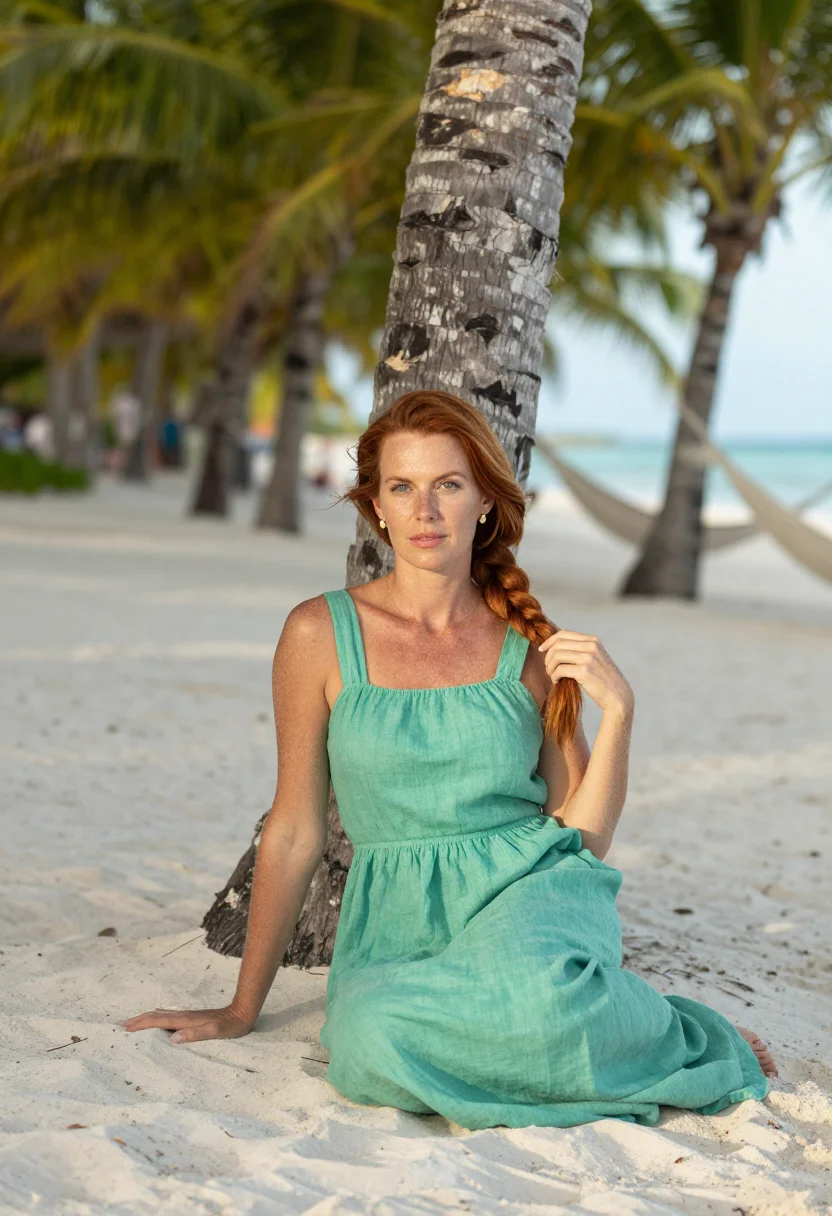
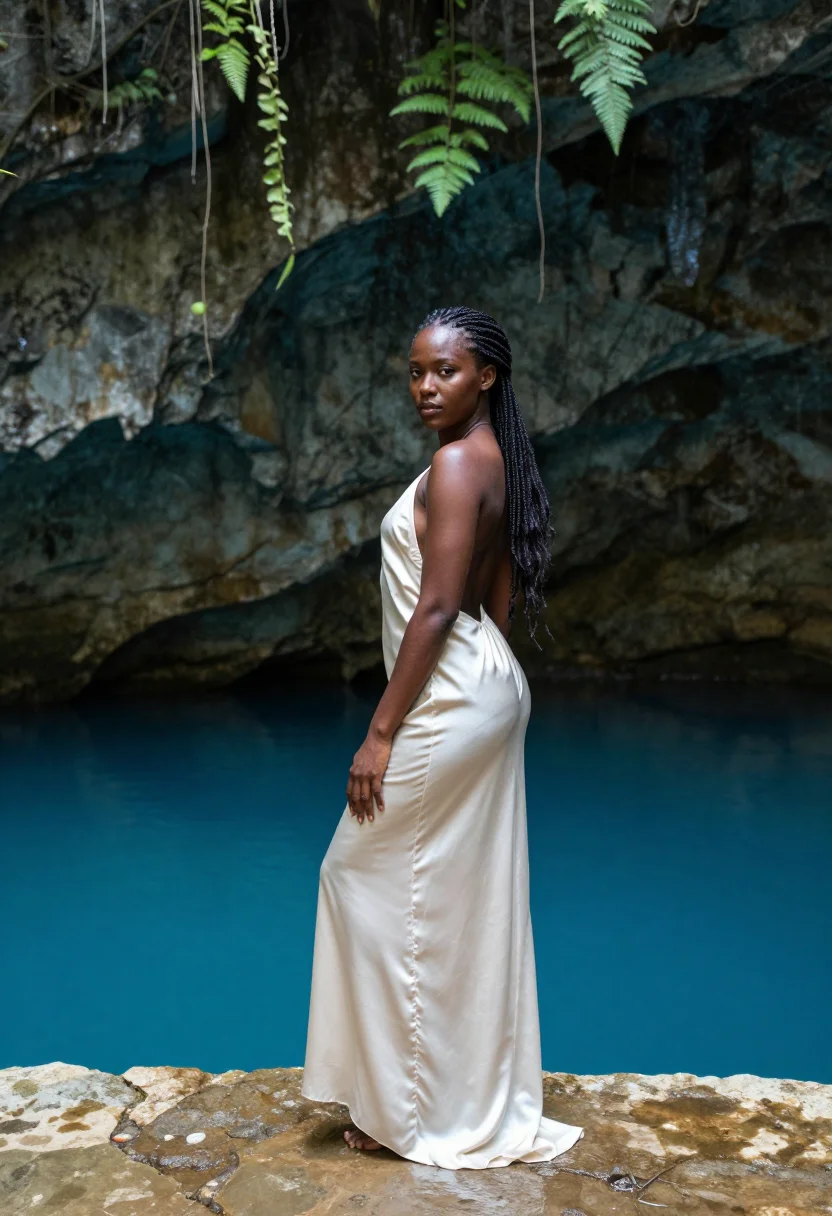
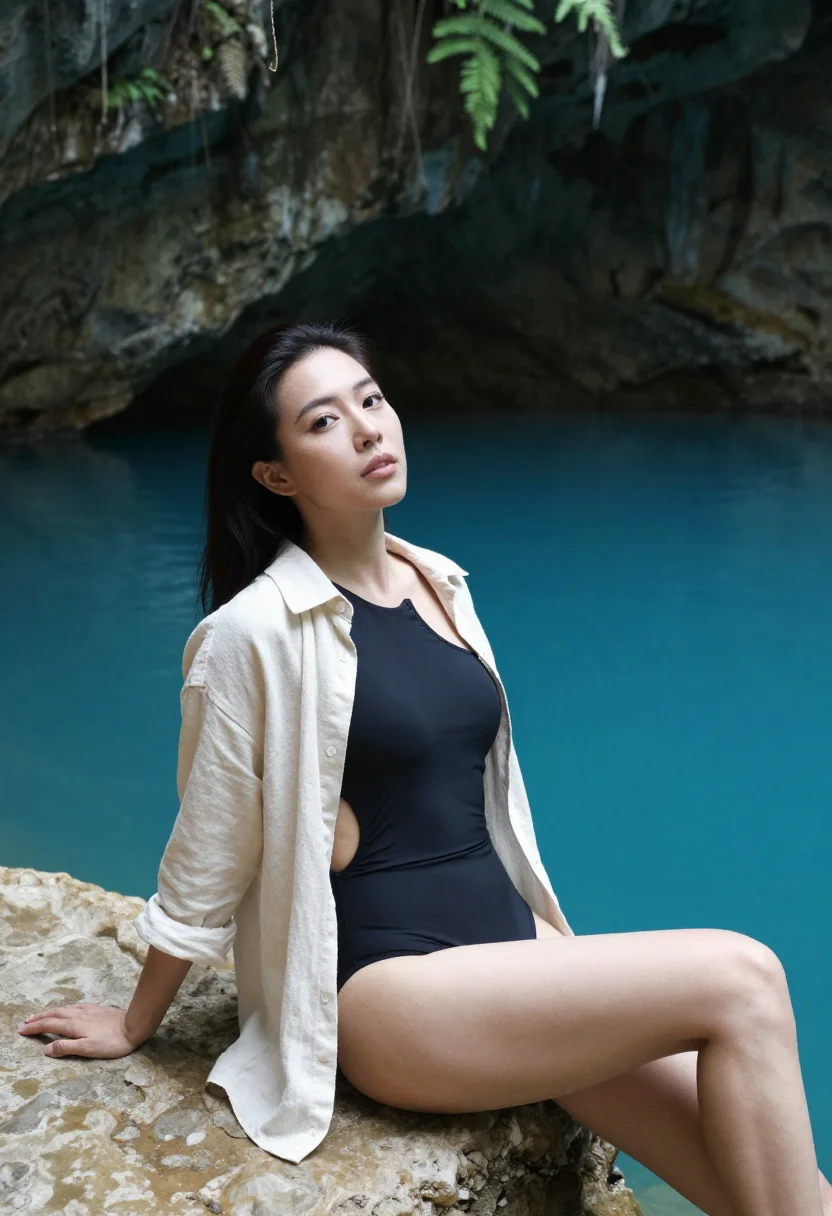
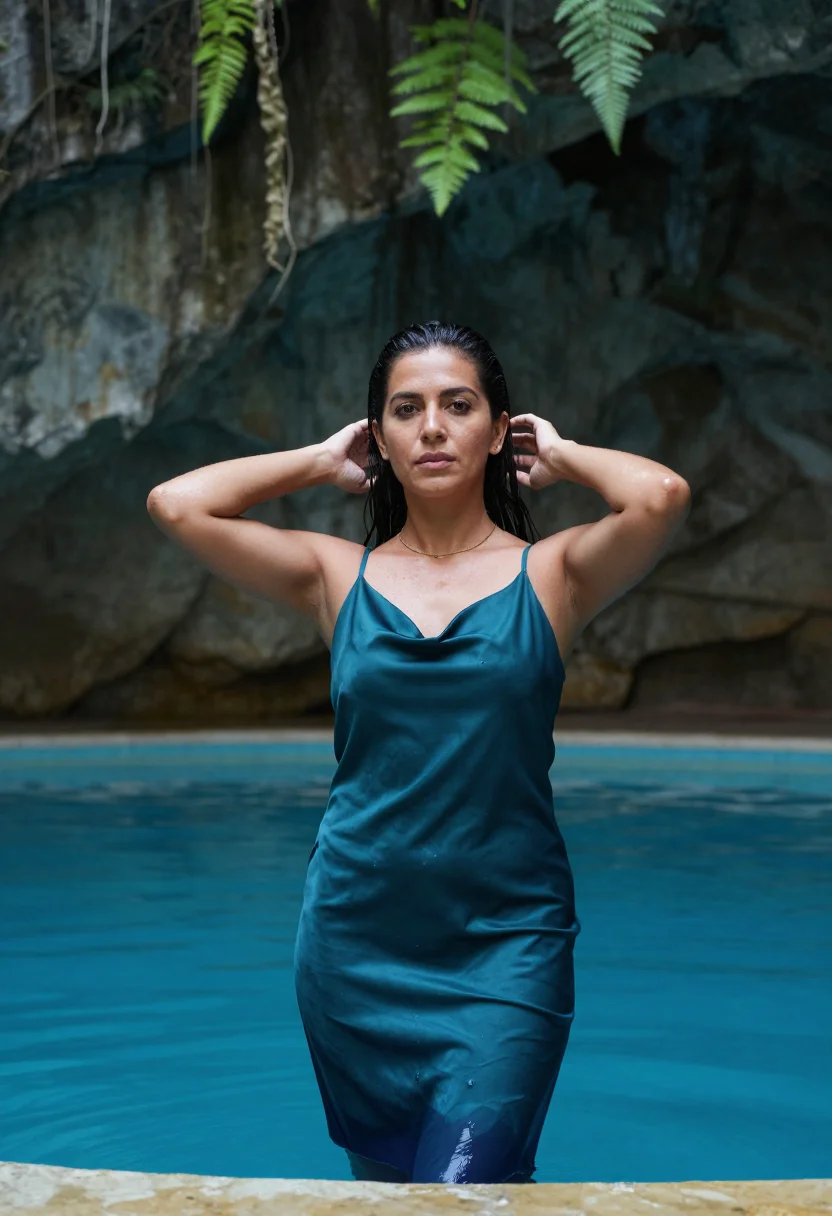
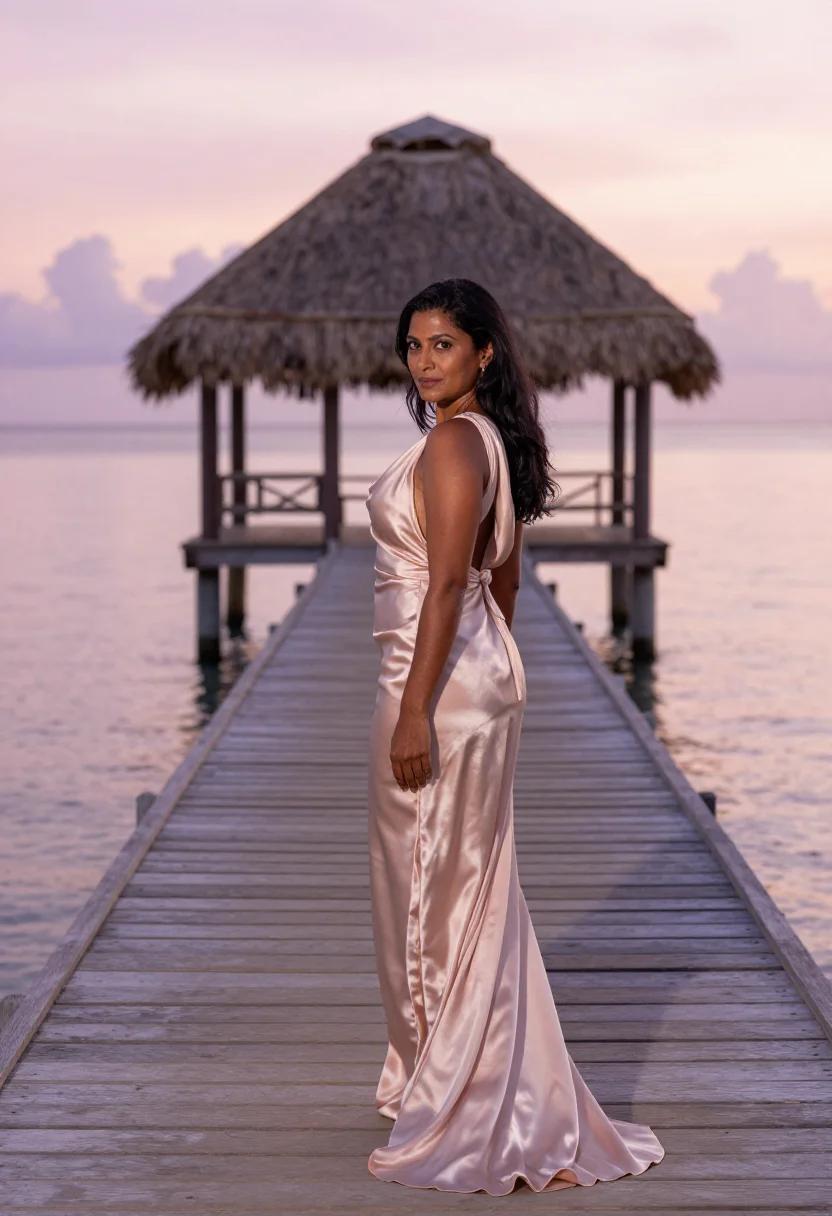
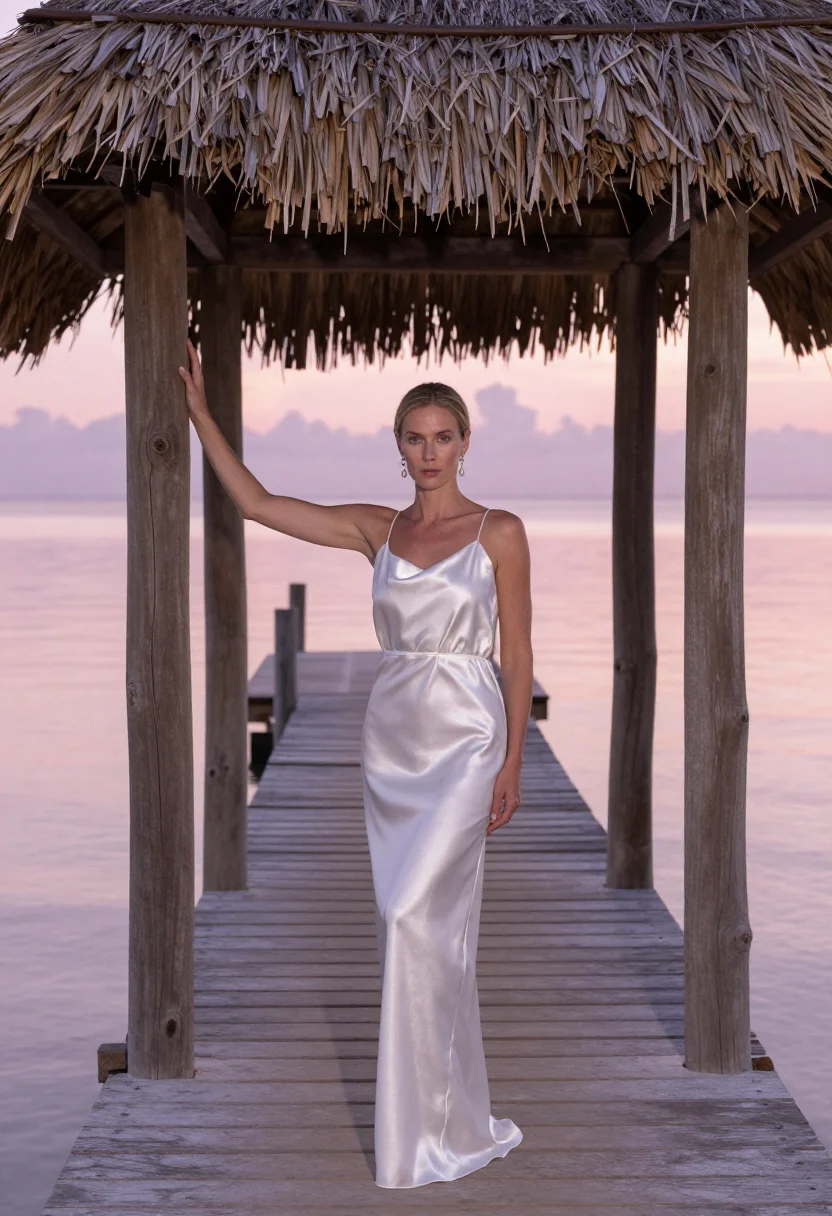
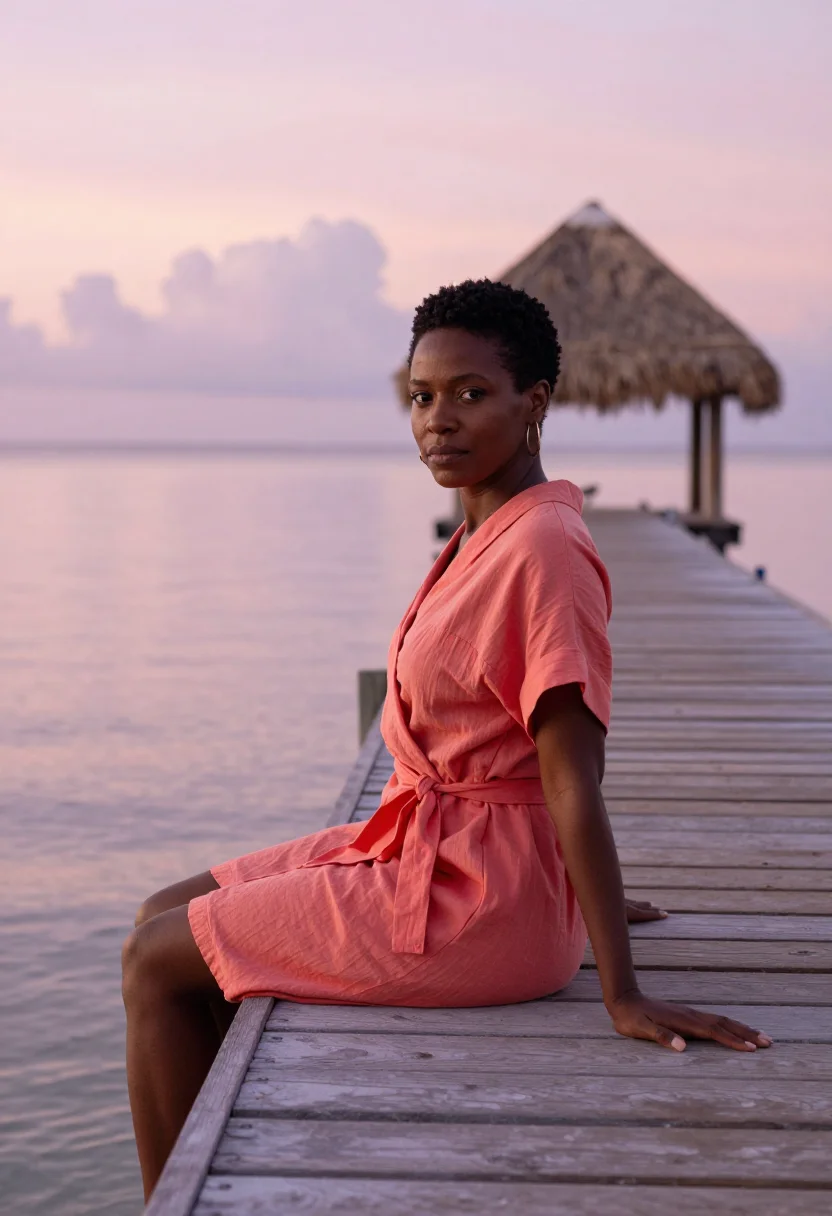
Nine photographs of you, styled at a palm-lined colonnade, the Hoyo Azul cenote, and a dawn pier, in resort-glamour dress. The nine vary in crop, expression and light, so there are real choices, not nine identical files.
/punta-cana · lifestyle · 3 scenes
A Punta Cana Photoshoot, Framed by Palms
no account · ~15s · try it on with one selfie
More island light
one model wears them all →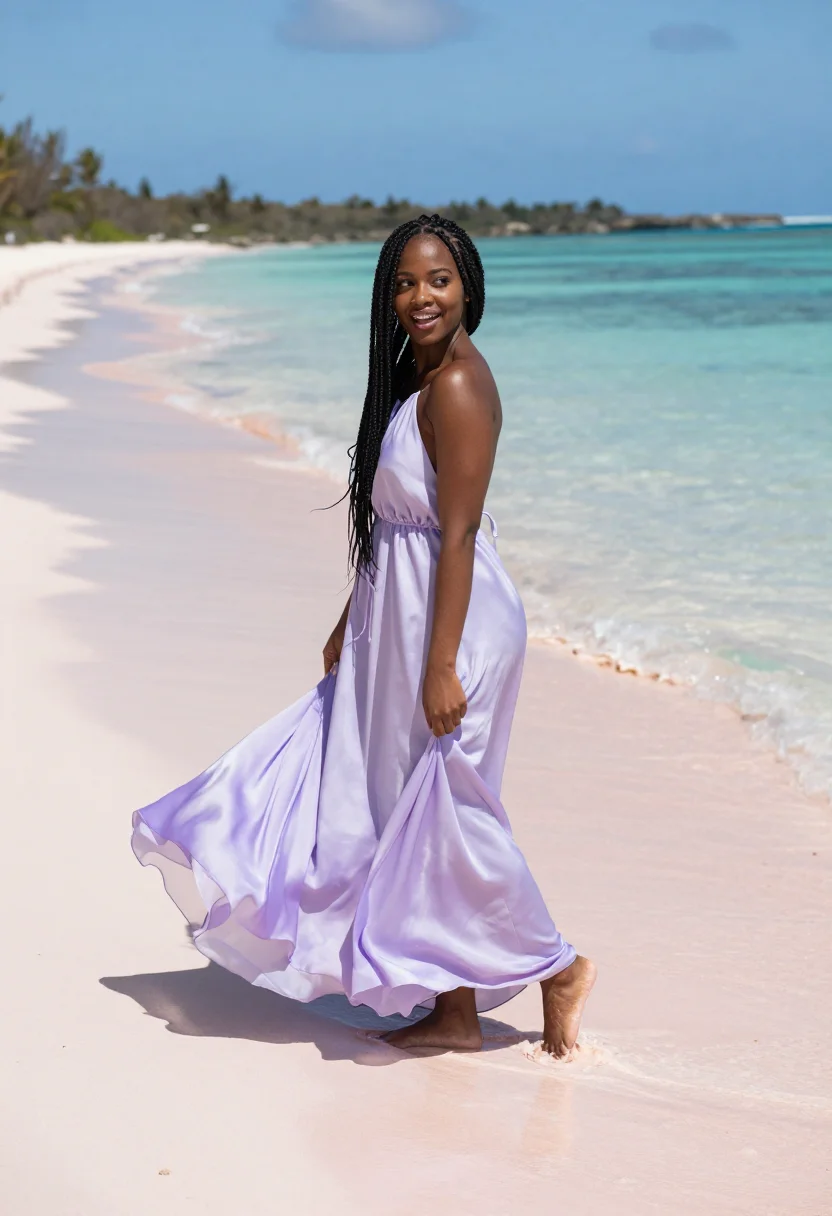
all 9 photos in this pack ↓
How it works
Three steps.
1
Add your photos
Add photos of yourself. We check each one when you add it.
2
We create your model
We create your AI model from your photos. Your photos are ready in a few hours.
3
Every pack, with your face
This pack and every other pack on Narcis can then be made with your face, and single photos too.
The Punta Cana photoshoot register
Punta Cana's coast is defined by repetition and depth: a colonnade of palms running the length of the beach further than the eye tracks, and inland, the startling turquoise drop of the Hoyo Azul cenote inside Scape Park. This pack renders both as a Punta Cana photoshoot in the register of resort glamour — sun on skin, the frame given room to breathe by the coastline's own scale, the ease of a holiday portrait rather than a passport photo.
The nine portraits move through three views. Under the palm colonnade, the trunks recede in a long diagonal line, the beach itself barely visible behind the leaning shade. At Hoyo Azul, the frame drops into limestone — sheer rock walls ringing a pool so blue it reads almost unreal, the cenote's stillness a deliberate contrast to the open ocean elsewhere in the pack. And on a wooden pier at dawn, the light turns soft and pink, the water glassy before the day's heat arrives. Three moods: rhythmic shade, mineral blue, quiet dawn.
Dress is resort glamour throughout — a flowing dress or beachwear cover-up in a warm tone against the palms, or a color that holds against the cenote's saturated blue, light enough to move easily. No formalwear, no swimwear-only shots. What the pack borrows is the light and the landmark; what it renders is a photograph — a real-looking portrait of you in Punta Cana, not a painting, not a stock-photo filter pass.
Honest note: this is an AI-generated portrait of you, styled at three real Dominican locations — not a photo taken on an actual trip. Treat it as the photoshoot you'd book if you were there, or a preview of a trip you're planning. The palm-lined beach is open to any visitor; Hoyo Azul sits inside Scape Park and requires an entry ticket.
How to photograph yourself for a Punta Cana photoshoot
Better source photos make better portraits.
- Even, soft lightStand near a window with indirect daylight on your face. Avoid overhead bulbs and phone flash — both flatten the face and are the usual reason an AI portrait misses your likeness.
- Front or three-quarter angleCamera at eye level, facing it or turned slightly to three-quarter. No selfie-stick uplook, no shot from below.
- Face fully clearHair off the face where possible, no sunglasses. A clear, front-facing photo gives the model the most of you to work with.
- A relaxed resort expressionThe register here is easy resort glamour — a settled, sun-warmed look reads truer against the palms and the cenote than a stiff passport face.
- Plain background is fineDon't worry about your own backdrop — Punta Cana replaces it. A plain wall behind you just helps the model focus on your face.
Frequently asked questions
- Will it actually look like the palm colonnade and Hoyo Azul, and like a real photo?
- Yes on both. The long line of palms, the cenote's mineral blue, and the pier at dawn come back unmistakable in every frame, and the output is photoreal: a real-looking photograph of you in Punta Cana, not a painting or a filter pass over a stock photo.
- Which Punta Cana settings does it cover?
- Three: the palm-lined beach colonnade, the Hoyo Azul cenote inside Scape Park, and a wooden pier at dawn. Nine portraits, three per setting.
- Do I need to have actually visited Punta Cana to use this?
- No. Many people use this to preview a trip they're planning, or as a gift for someone dreaming of one. It stands on its own as a portrait either way.
- How is this different from a real vacation photo?
- A real photo means the flight, the resort, and someone else holding the camera at the right moment. This gives you the same island-glamour frame, for a fraction of the cost, whenever you like. If you can make the trip, nothing replaces going — this is the photoshoot for the rest of the time.
- Who is this pack styled for?
- The sample is styled for women in resort-glamour dress.
- Can I use the photos on social media or in print?
- Yes. They're yours to post, print, or share once generated — a profile picture, a save-the-date, a printed keepsake, whatever fits.
- Will the photos look like me?
- Every photo looks like you, well photographed. If one is nearly right, say what to change, in your own words.
- Do I have to write a prompt?
- No. There is nothing to write: you pick a pack, and it is ready in seconds.
- How many photos of myself do I add?
- Between six and twenty, from different days and in different light, with your face clear. We check each one when you add it.
- What happens to the photos I add?
- They are used only to create your model, on our own servers in the European Union. They are not shared and not sold.
When the Punta Cana pack fits
- A trip-planning preview before you book the flight
- A vacation-style profile picture without the vacation
- A gift for someone dreaming of a Dominican Republic trip
- A honeymoon or anniversary save-the-date image
- A desktop or phone wallpaper with palm-lined light
- A dating profile photo with a resort backdrop
- A keepsake alongside real photos from an actual Punta Cana trip
- A card or memento marking a milestone
- A creative alternative to a studio holiday photo
- A conversation starter with friends who've actually been
About narcis
Most AI photo tools put every pose, job, era, and style in one giant catalog. The photos all look like every other AI photo on the internet — a glaze over a stock face. Narcis goes the other way. One job: photos of you that look like photographs. You add at least 6 photos of yourself, and we create your AI model from them. Your photos are ready in a few hours, and we email you when they are. Then this pack and every other pack on Narcis can be made with your face. Each pack is curated against real references — paintings, photographers, places — and tested on real faces before it goes live. Built and run by one small team, on our own servers.
All images are AI-generated. By using this service, you confirm you are 18+, that any face photo you upload is your own or used with explicit consent. Full Terms