AI Thai Songkran Generator — Nine Photos From Your Own Model
See Your Free Preview in Seconds, Before You Pay
Nine Thai Songkran from Your Trained Model
Studio-Quality Results Without a Studio Visit
Narcis generates a free preview of your thai songkran from one uploaded photo. The preview streams in seconds — a quick sketch, close but not you yet. If you like it, you train your model on 12–20 photos of yourself; training runs in the background, and we email you when it is ready. From then on, the full pack of nine — €9,99 — and every other pack and the portrait studio all render from that one model.
The pack is nine professional thai songkran rendered in portrait aspect ratio (2:3) — the shape LinkedIn banners, CVs, and print profiles actually use. Each image shows varied crops, expressions, and light angles so you have real choices, not nine identical files.
Preview photos are processed on European servers. Training photos train only your model — delete your model and they go with it. We do not share your photos with third parties.
/thai-songkran · photo · 3 scenes
Thai Songkran Portraits
no account · ~15s · the first shot is free
More like this
one model wears them all →
all 9 looks — from one photo ↓
How it works
Three steps. Upload, preview, deliver.
1
Drop a selfie
Your free preview streams in seconds — a quick sketch: close, not you yet.
2
Train your model
Add 12–20 photos of yourself. Your model trains in the background — safe to leave, we email you when it's ready.
3
Nine portraits, truly you
Every shot renders from your model in about ten seconds — this pack, every other pack, and the Studio. €9,99 one-time.
The Songkran register
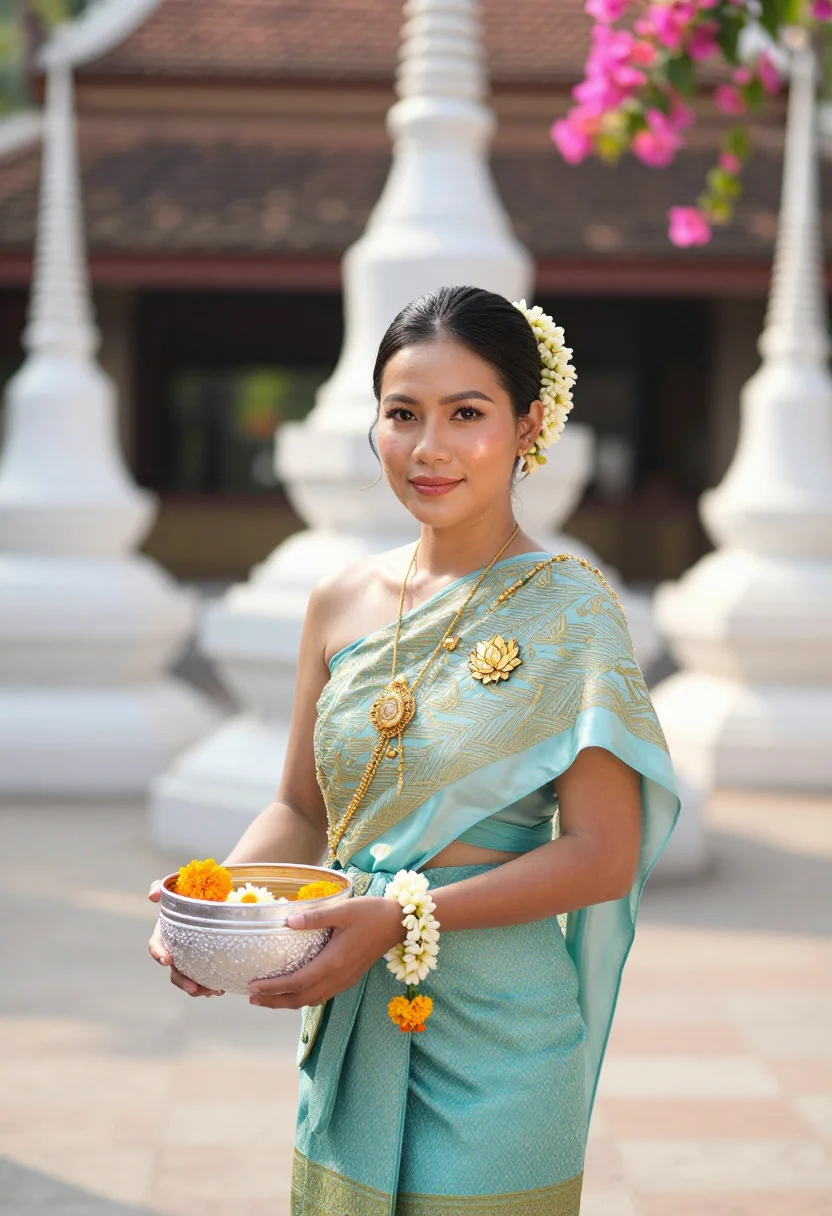
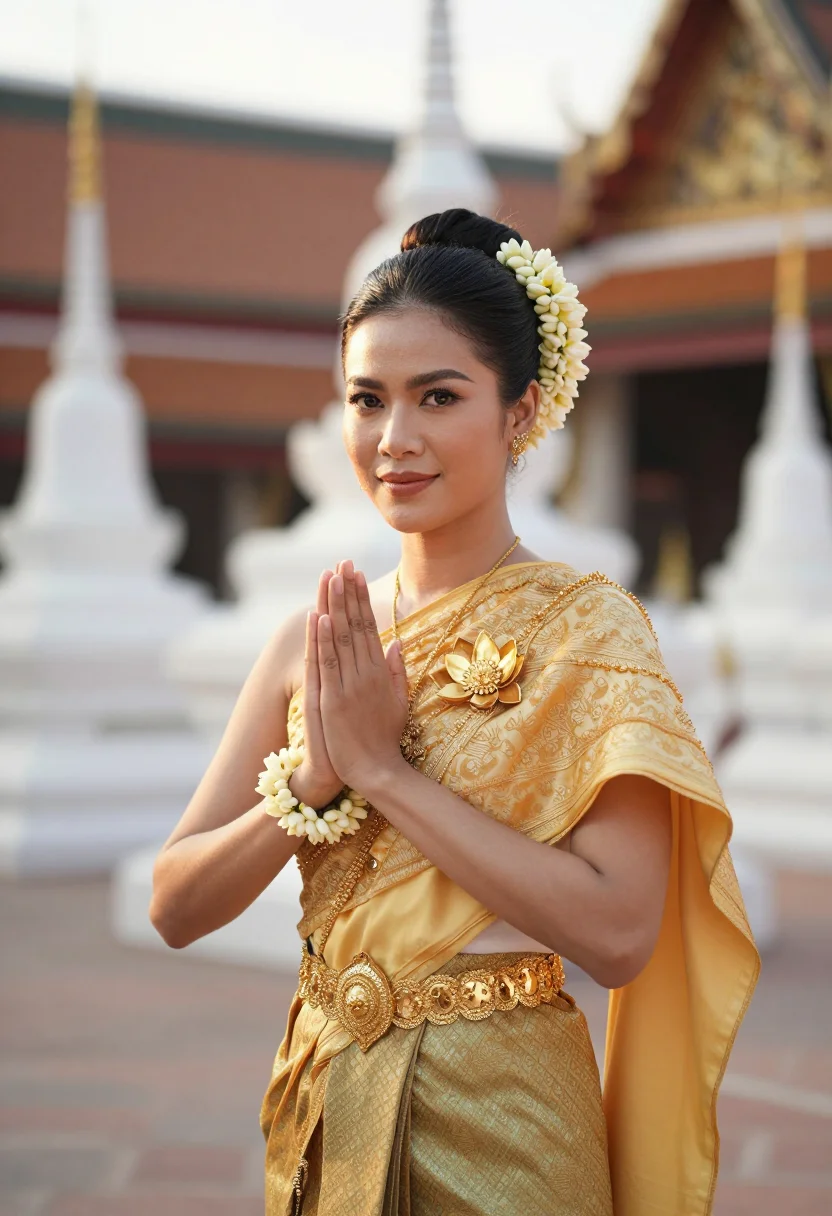
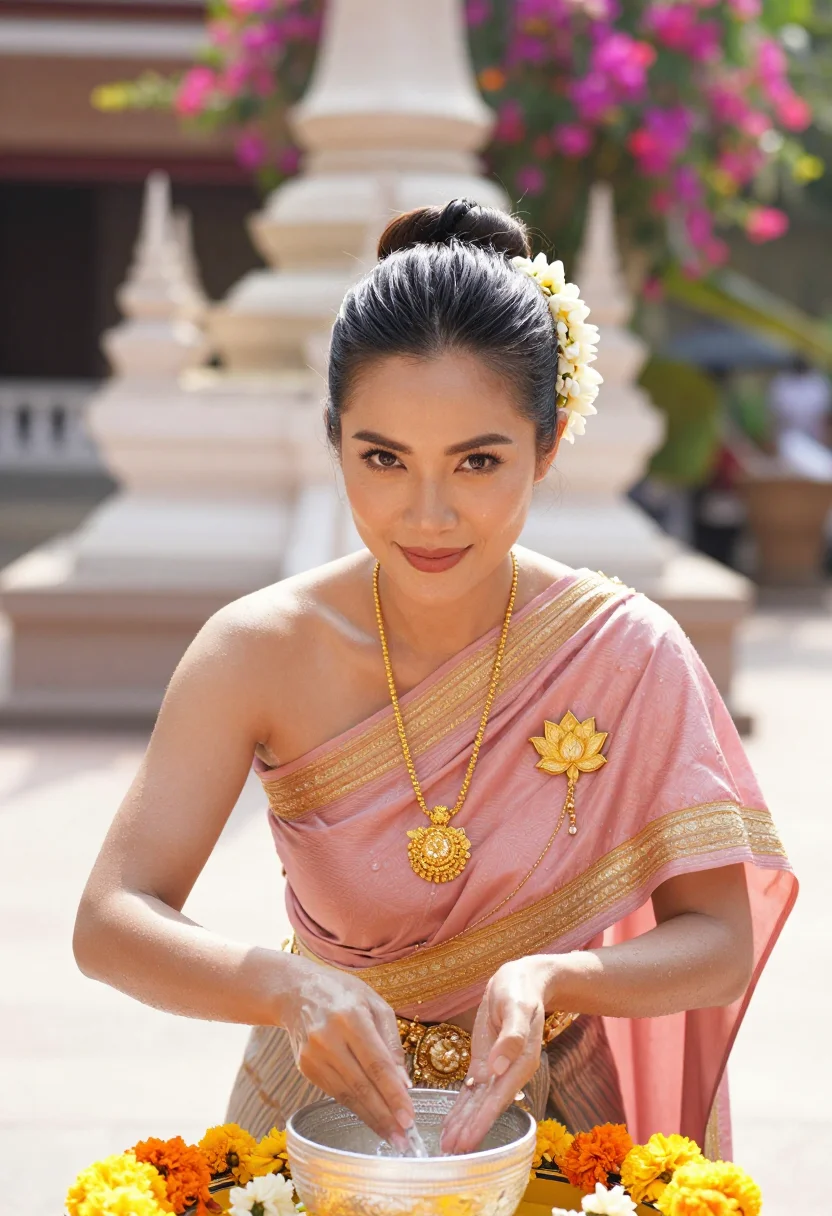
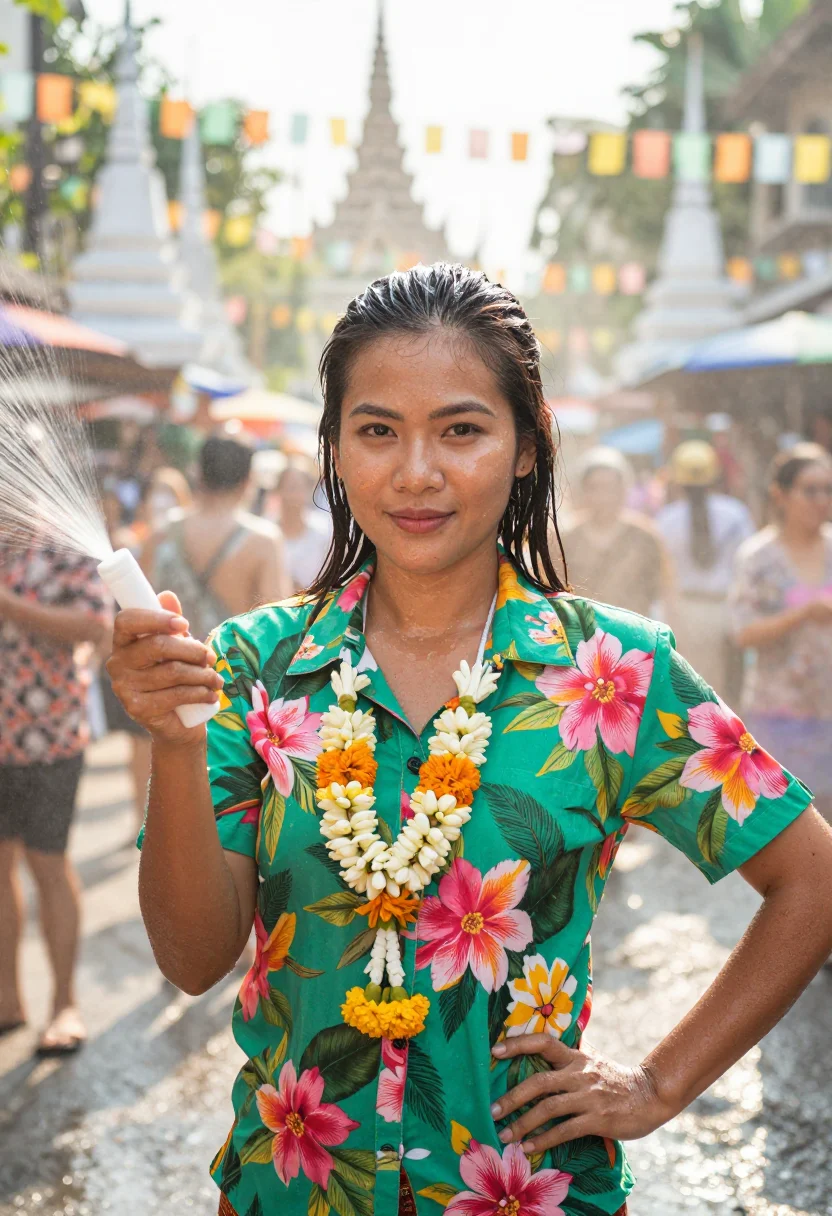
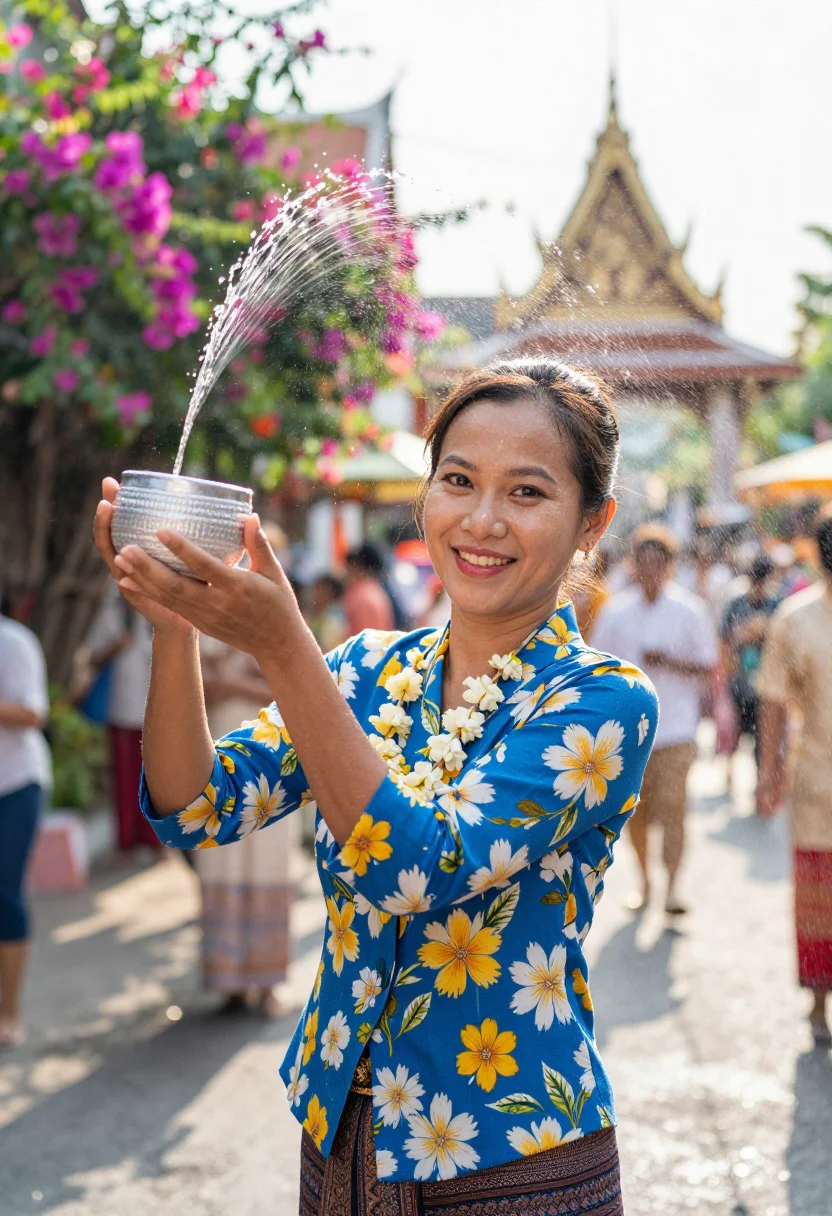
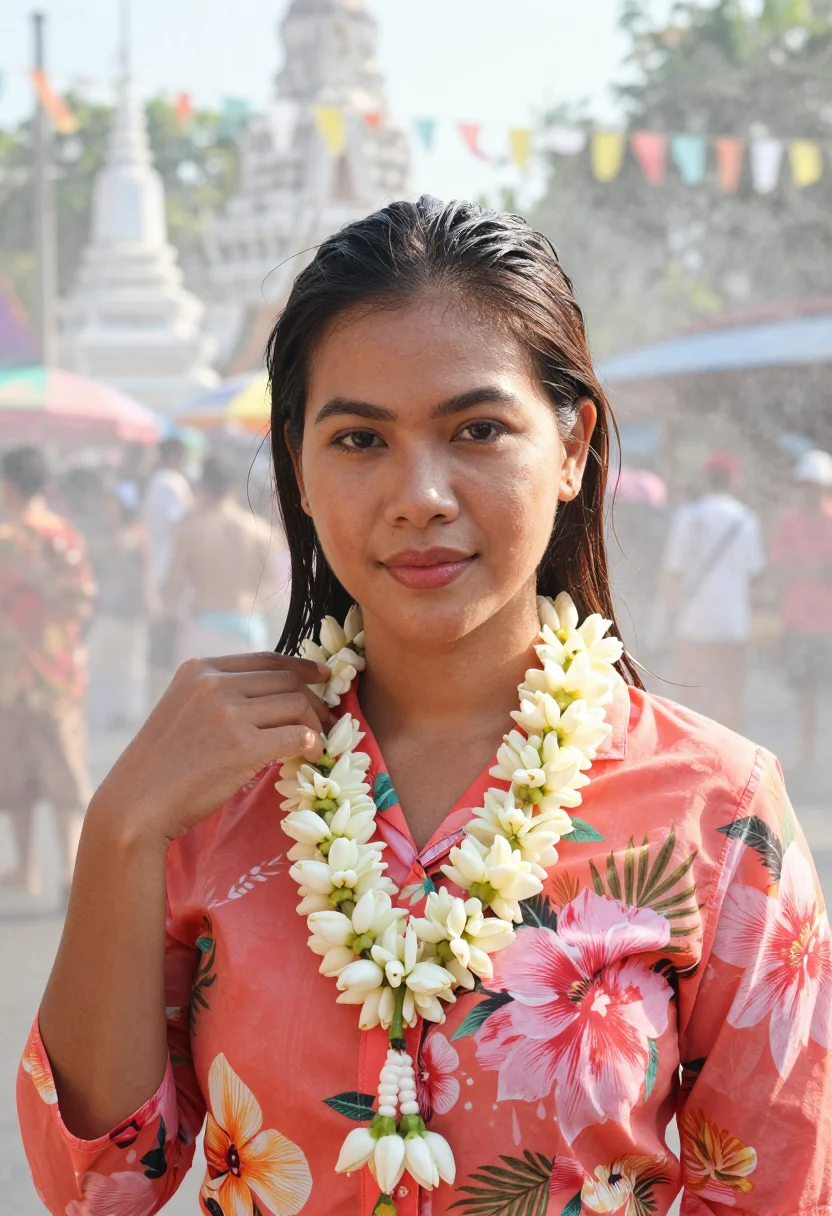
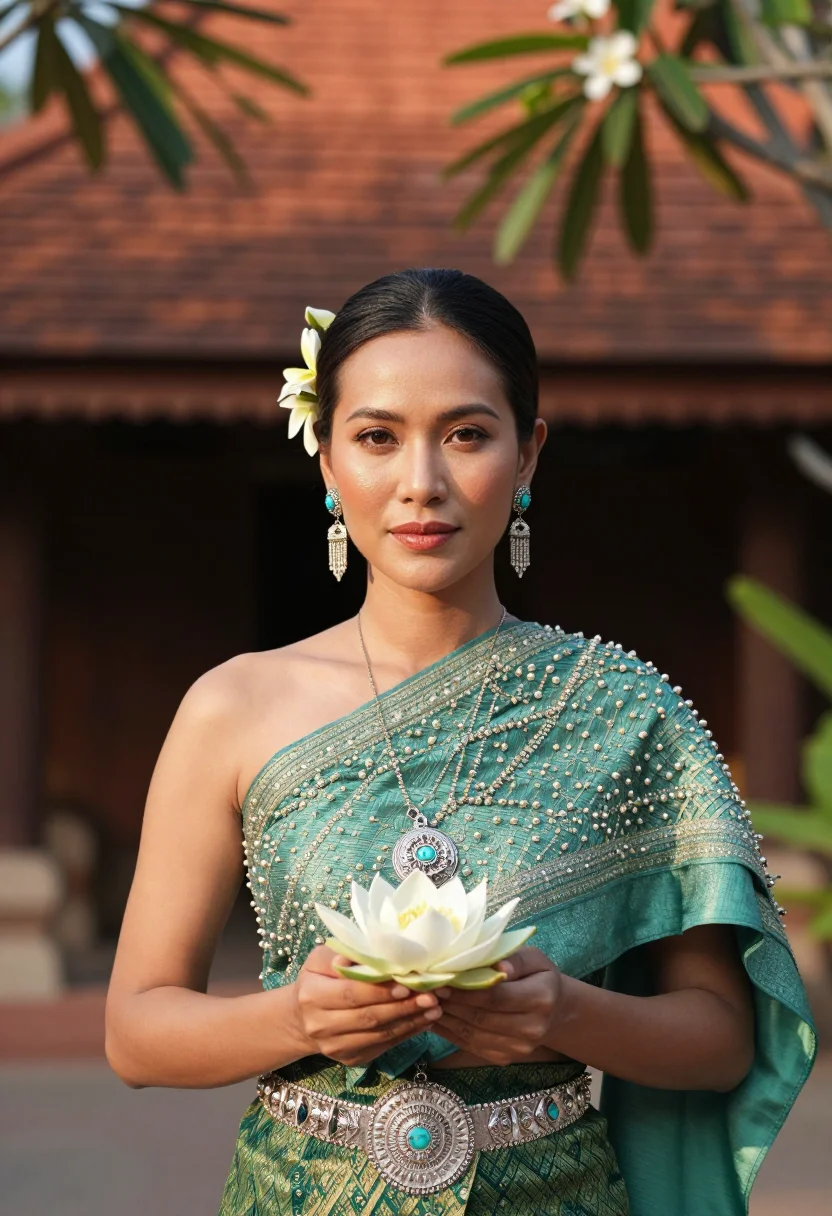
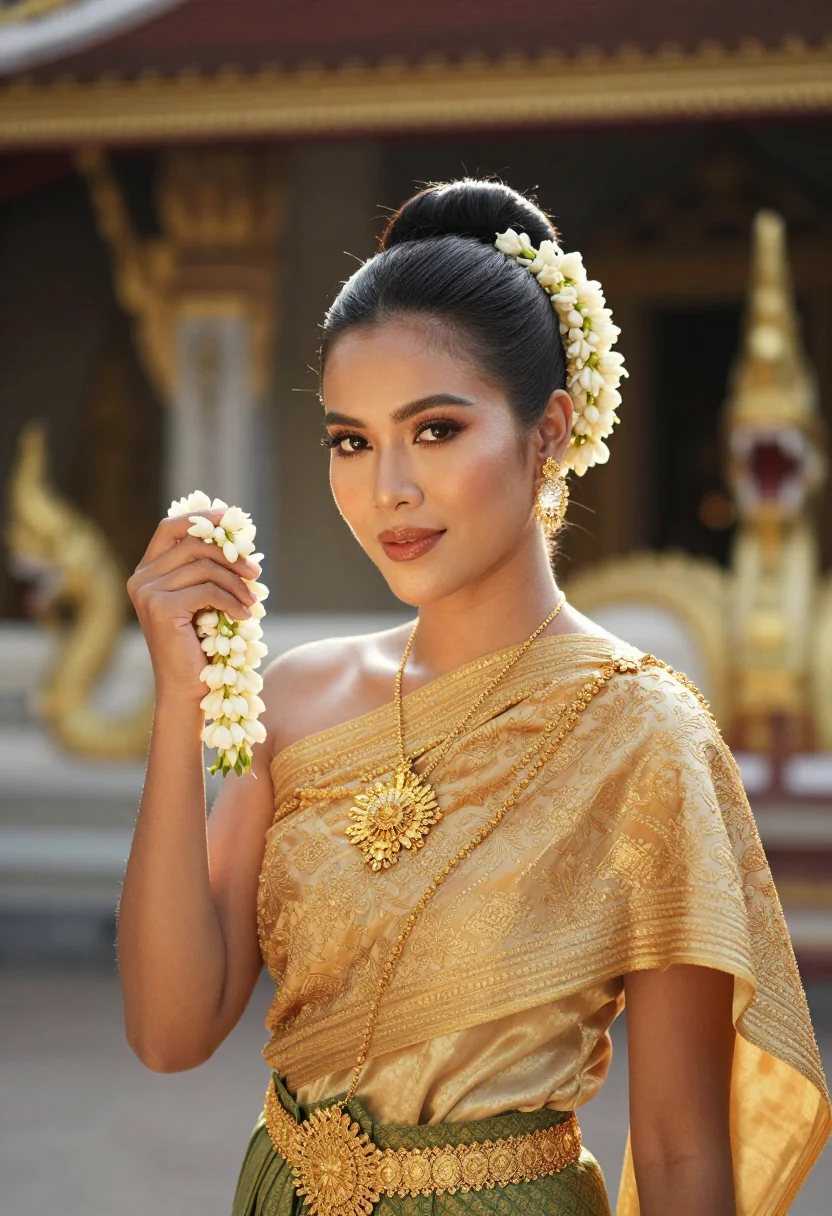
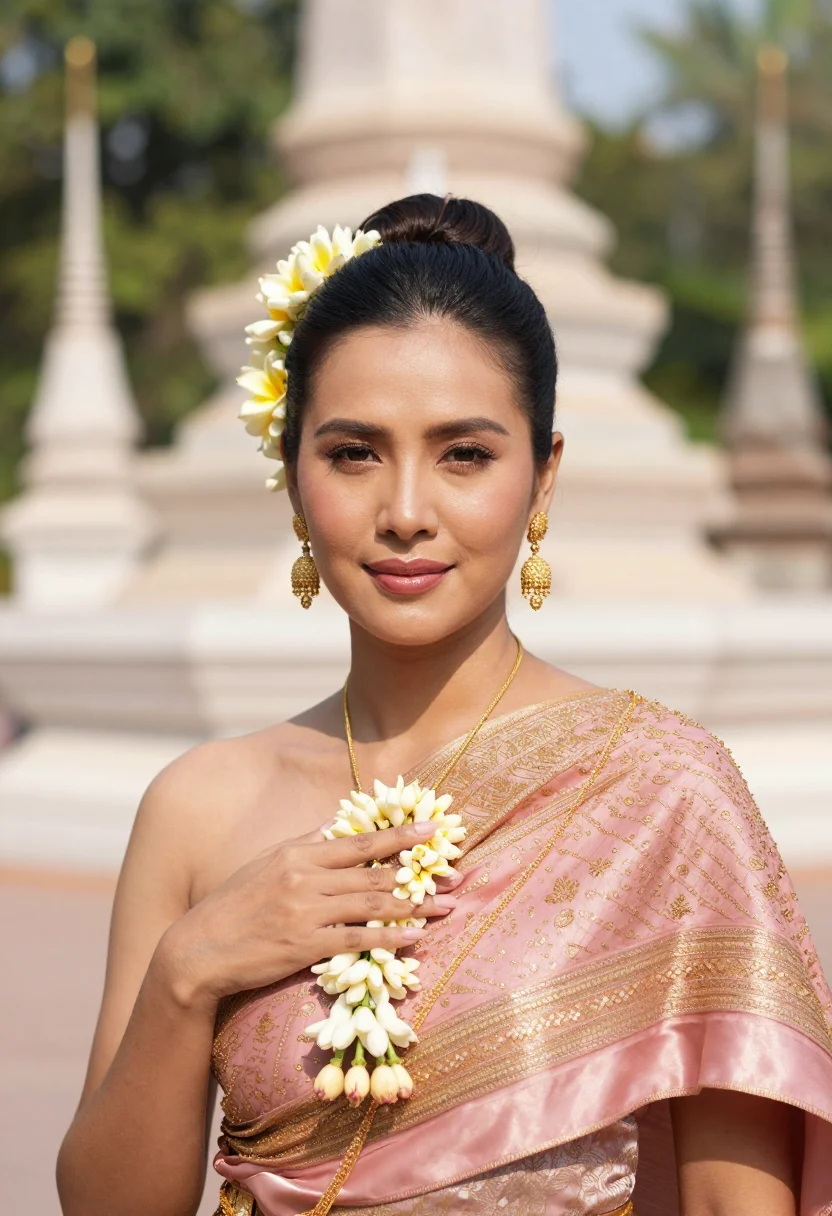
Songkran is Thailand's New Year measured in water — the silk chut thai and gold sabai for the temple blessing, the bright floral shirt for the street, jasmine garlands and a silver bowl tipping water over marigolds. This pack puts you in that frame. Three looks carry it: a silk chut thai at a temple water-blessing with white chedis and bougainvillea behind, a bright floral Songkran shirt in the festival street with a fine mist in the air, and a closer chut thai-and-Lanna-silver register heavy with jasmine. Each look is shot three ways — gold, jade and rose across the set — so the nine portraits read like a real Songkran gallery rather than the same photo nine times.
These are photographs, not paintings. The output is photoreal: your face and your features, dressed in Thai silk and lit by broad festival daylight — the sabai's gold thread legible, the water spray catching the light, the temple soft behind you. It borrows the garment, the festival light, and the grammar of the day; it does not turn you into a cartoon, a painting, or a costume. The closer your upload sits to a clear, front-on photo, the sharper the likeness comes back.
How to photograph yourself for Songkran portraits
Good input, good festival. The pack forgives an imperfect photo — the free preview shows you the result in seconds — but four small things sharpen it.
- Soft, even lightFace a window with indirect daylight on you. Skip the overhead bulb and the hard noon sun — both flatten the face and fight the bright daylight the pack is built around.
- Front or three-quarter, at eye levelHold the camera level with your eyes. No selfie up-angle, no looking down — the festival register wants you square to the lens.
- Plain wall behind youLet the pack build the temple courtyard, the chedis and the water. A clean backdrop sends the whole likeness budget to your face.
- Hairline and face clearThe chut thai sets the hair back in a chignon with jasmine. A clear hairline in your source photo gives the pack a clean face to work from.
Frequently asked questions
- What's the difference between the free preview and the paid pack?
- The preview is one Songkran portrait built from your photo, shown live in seconds — you judge the likeness before you commit to anything. The paid pack is nine portraits: three looks (chut thai water-blessing, floral Songkran shirt, Lanna-silver jewellery register), three takes each, once your model is trained — 12–20 photos, and we email you when your model is ready. €4,99, about ten seconds a portrait.
- Will it actually look like me?
- That's the whole job. Upload one clear, front-facing photo and the pack keeps your face, your features, your skin and hair — then dresses you in the chut thai and the festival light. The free preview shows you exactly how close the likeness is before you spend a cent.
- Is this a real Songkran look or a costume filter?
- It's built to read as a festival portrait, not a costume — real Thai silk, a gold sabai, jasmine garlands, a temple courtyard, a fine mist of festival water. It borrows the garment and the day's light; it doesn't paste a sticker over your selfie. What you get looks like a portrait a photographer would take at the festival.
- Can I use these as a Songkran greeting or my profile picture?
- Yes. The portraits are yours to post, print, and send — the Songkran card, the New Year wish, the Instagram status, the group chat.
- How is this different from Midjourney or a free AI photo app?
- Midjourney will paint a graceful woman in a chut thai — just not you; it invents a face. The free face-swap apps keep your face but render it plastic, the sabai's gold thread smeared. This pack does one narrow job well: your real likeness, in a real Songkran look, photoreal, nine ways.
- Can I choose the colours?
- You get all nine portraits, and the looks span the silk colourways the festival actually shows — aquamarine, golden yellow and rose for the temple chut thai, jade and coral florals for the street, jade and gold for the jewellery register. Rather than picking one and hoping, you see the whole spread and decide what suits you.
- Do I need several photos, or is one enough?
- One clear, front-facing photo is enough for the free preview. A couple of extra angles nudge the preview likeness a little closer; training your model takes 12–20 photos and sharpens the result further.
- What happens to the photo I upload?
- Your preview photo is processed on European servers. If you train a model, those photos train only your model — delete your model and they go with it. We do not sell or share your photos with third parties.
- My selfie is a bit casual — will that still work?
- Usually, yes. The pack handles an everyday phone photo; the free preview tells you in seconds whether the likeness lands. If it doesn't, it's almost always the light — the prep tips above are the quick fix.
When the Songkran pack fits
- Songkran and Thai New Year greetings — the card, the status, the group chat.
- A festive profile picture in a chut thai you didn't have to rent.
- Trying the silk colourways — gold, jade, rose — before a real shoot or a rental.
- Thai New Year for the diaspora, from anywhere the temple is a flight away.
- A gift for the friend or family member who hosts every Songkran and never sits for a photo.
- A bright water-festival portrait for a travel post or a Thailand memory.
About narcis
Most AI portrait tools ship every pose, profession, era, and aesthetic in one giant catalog. The output looks like every other AI photo on the internet — a glaze over a stock face. Narcis goes the other way. One tool, one job: turn photos of you into portraits worth keeping. Drop a selfie and your free preview streams in seconds — a quick sketch: close, not you yet. For portraits that are truly you, train your own model on 12 to 20 photos; it trains in the background, and we email you when it is ready. Train once, render everywhere — this pack, every other pack, and the Studio all come out of that one model, about ten seconds a portrait, and it stays yours to retrain or delete. Each pack is hand-curated against actual references — paintings, photographers, registers — and tested on real faces before it ships. See a free preview before you pay, not after. Packs are one-time — no subscription to buy one; Studio, the unlimited composer, is optional at €12/month and every pack includes 30 days of it. No template generator. Built and run by one team, on our own infrastructure.
All images are AI-generated. By using this service, you confirm you are 18+, that any face photo you upload is your own or used with explicit consent. Full Terms