AI Faculty Headshot Generator — Free Preview First, Your Own Model
See Your Free Faculty Headshot Preview in Seconds
Nine Portraits — Faculty Page, Paper Bio, Scholar Office
Academic Photography Without a Studio Visit
Narcis generates a free preview of your faculty headshot from one uploaded photo — in seconds, a quick sketch, close but not you yet. To unlock the full pack, you train your model: 12–20 photos, about and we email you when your model is ready. From then on, every faculty headshot — this pack, every other pack, the portrait studio — renders from your model in about ten seconds.
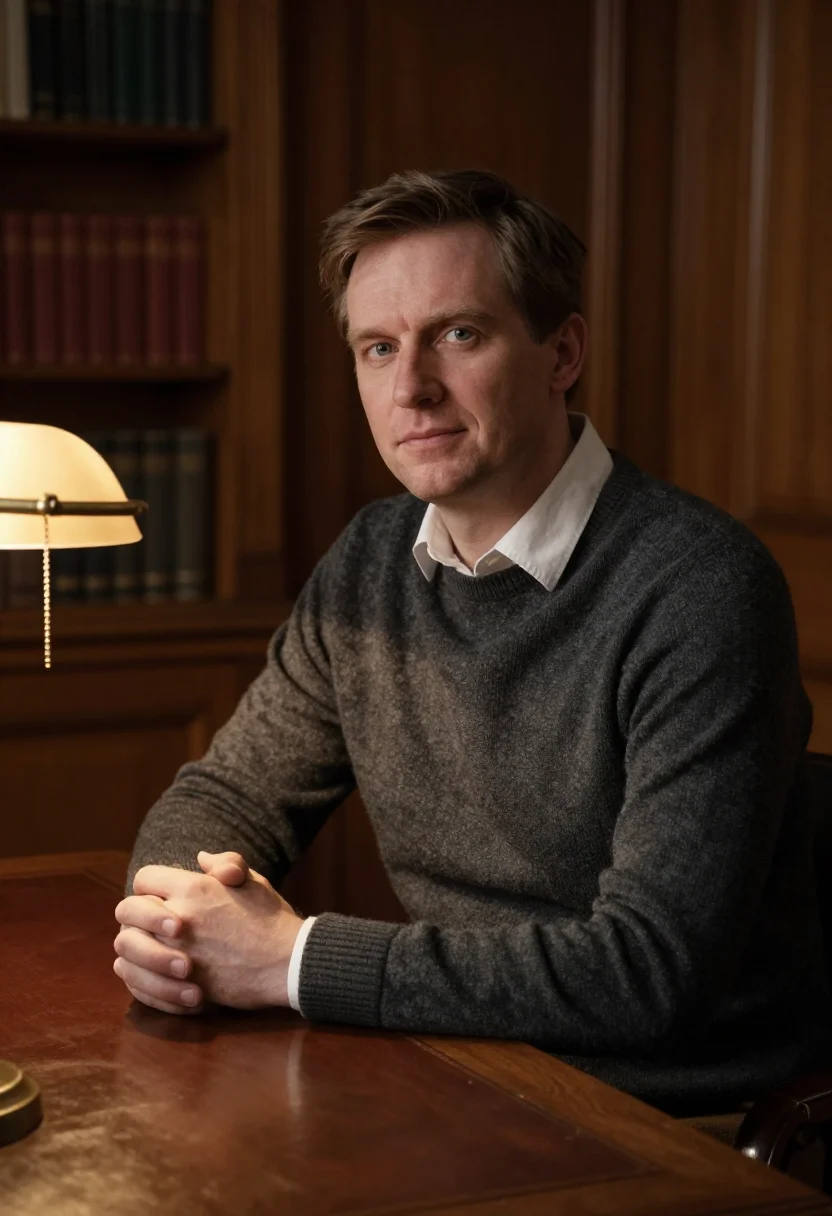
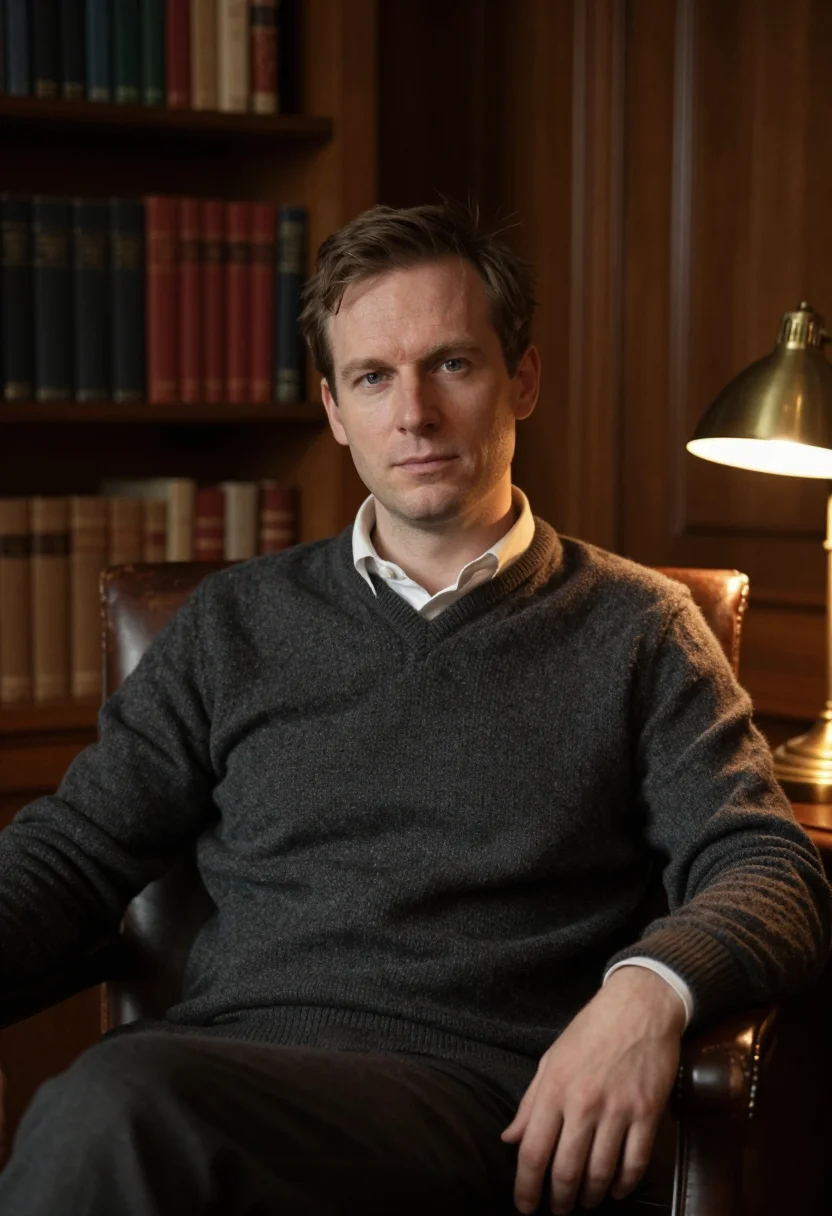
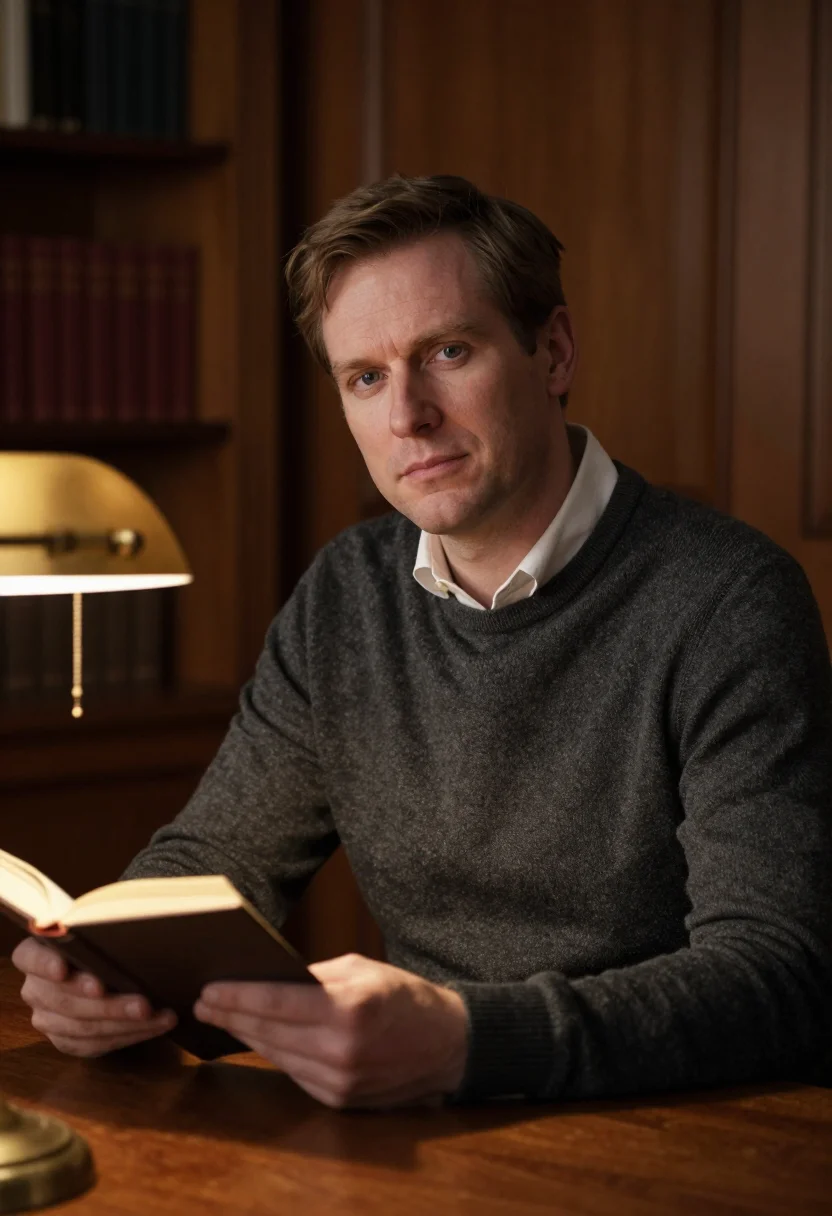
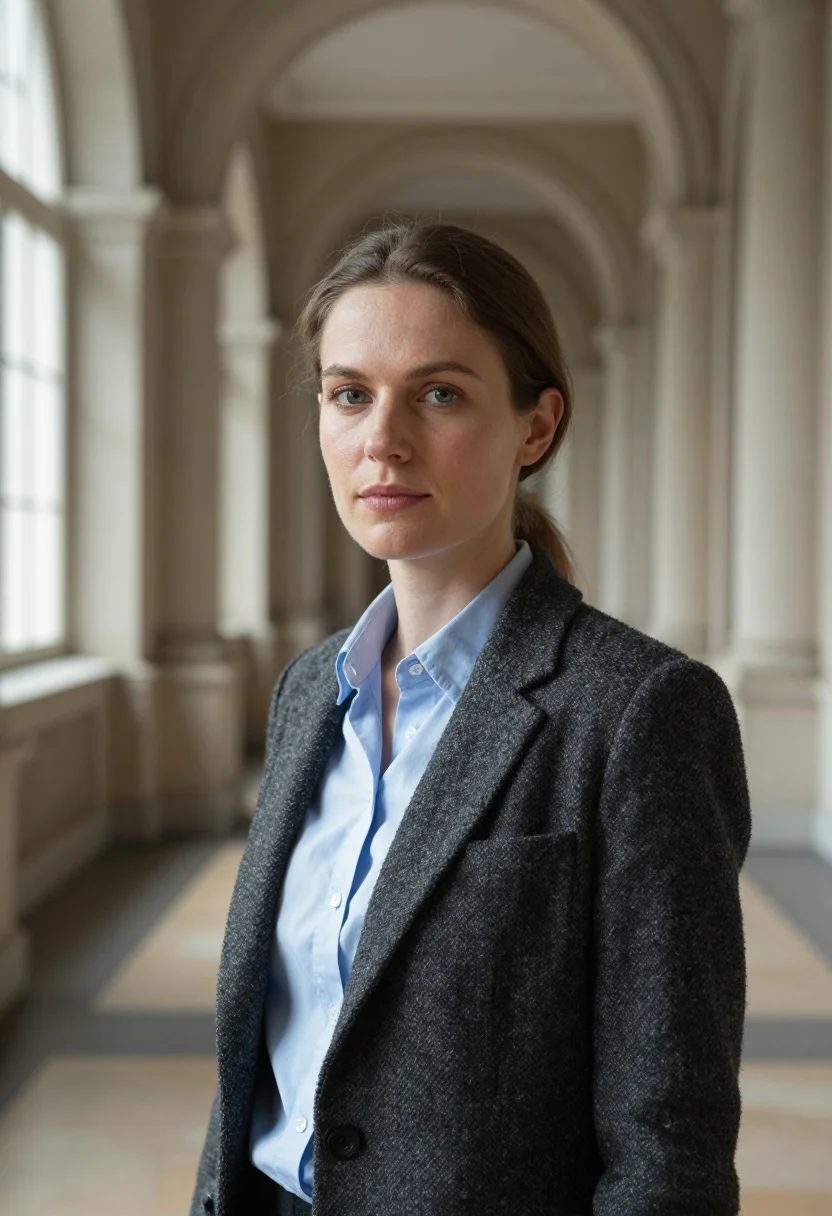
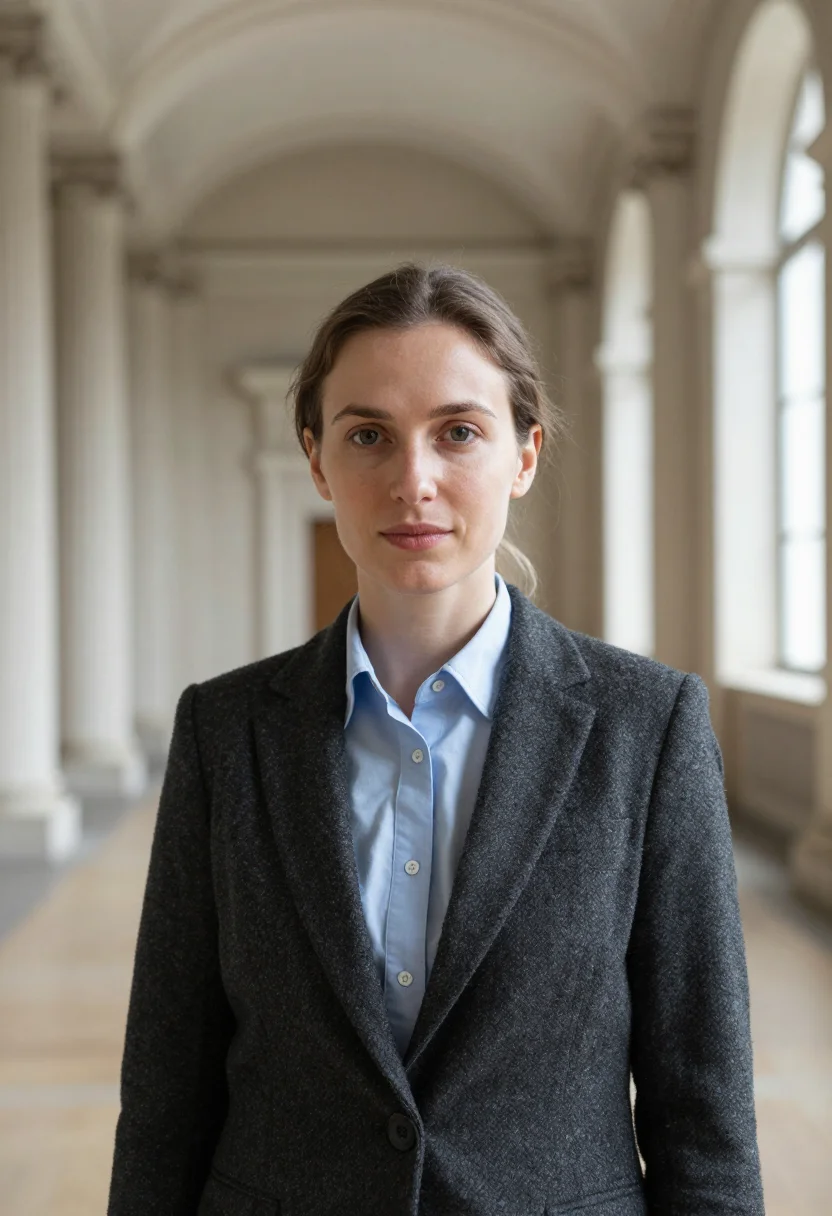
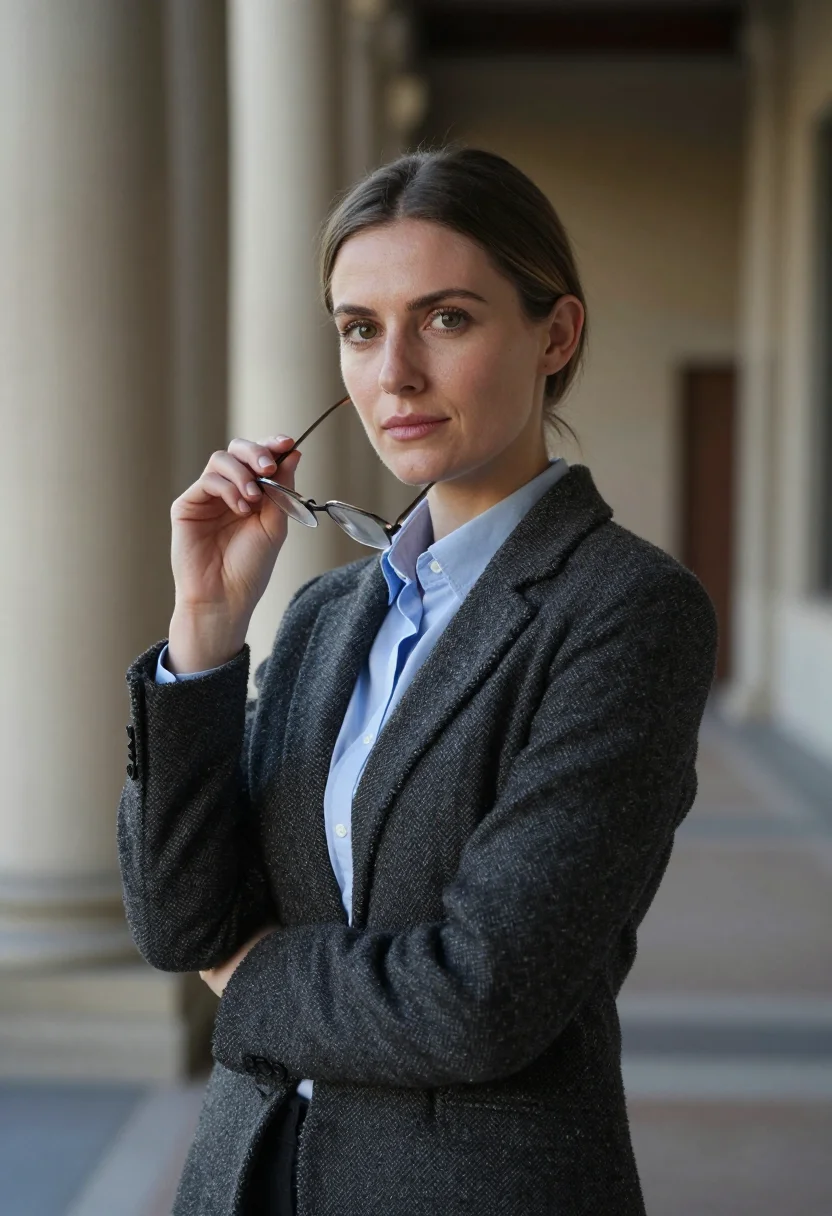
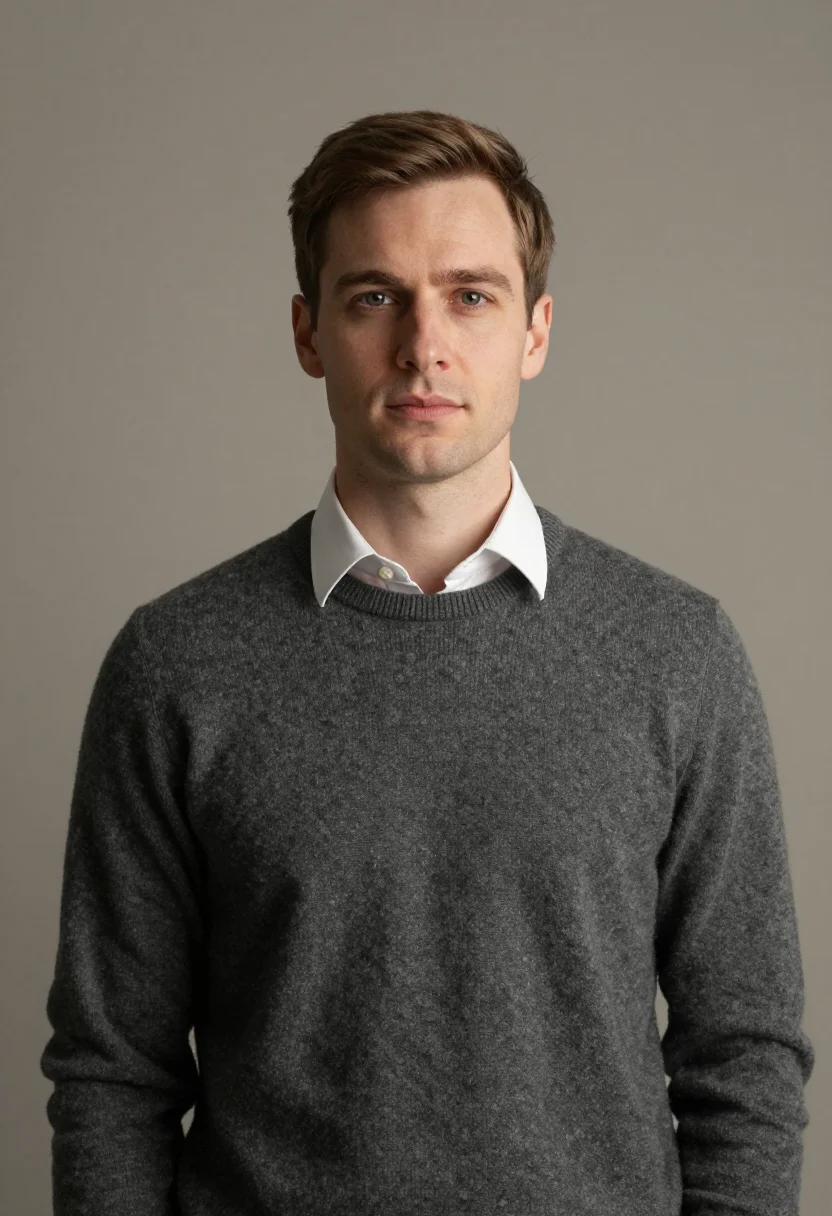
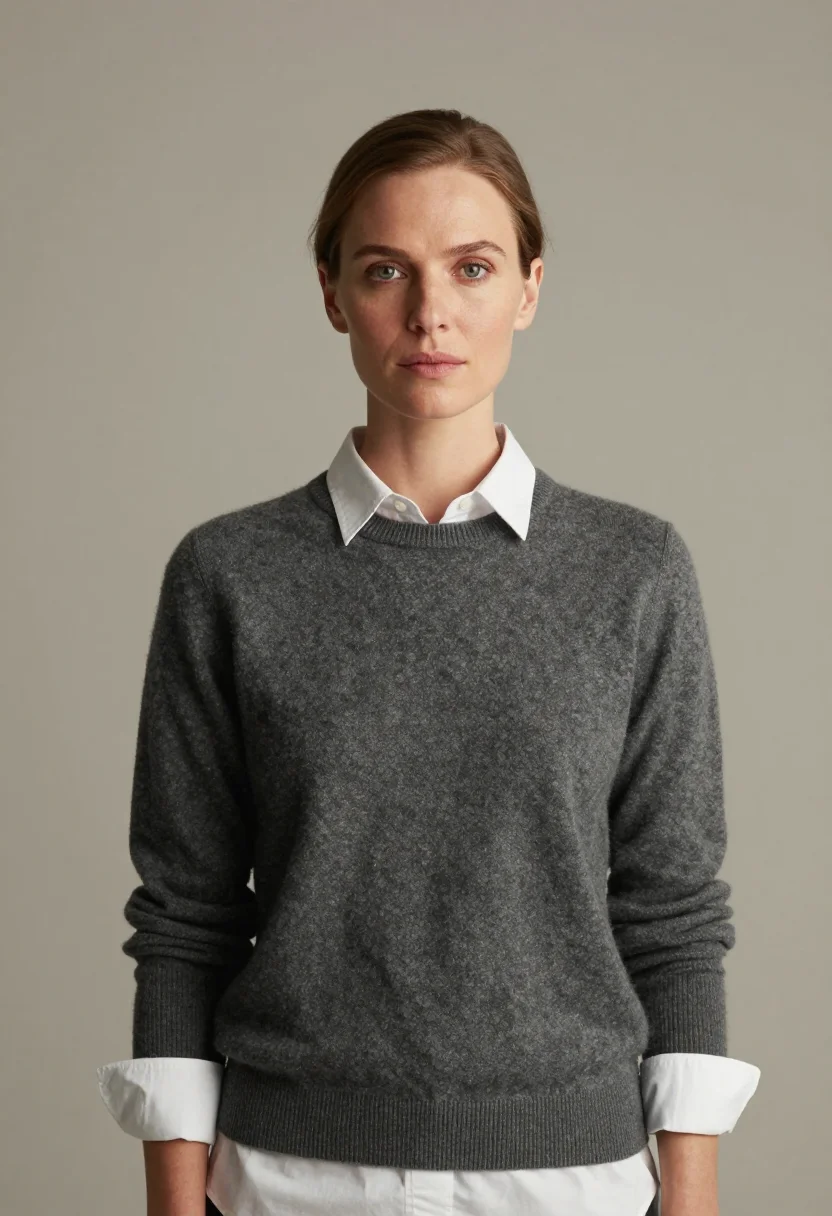
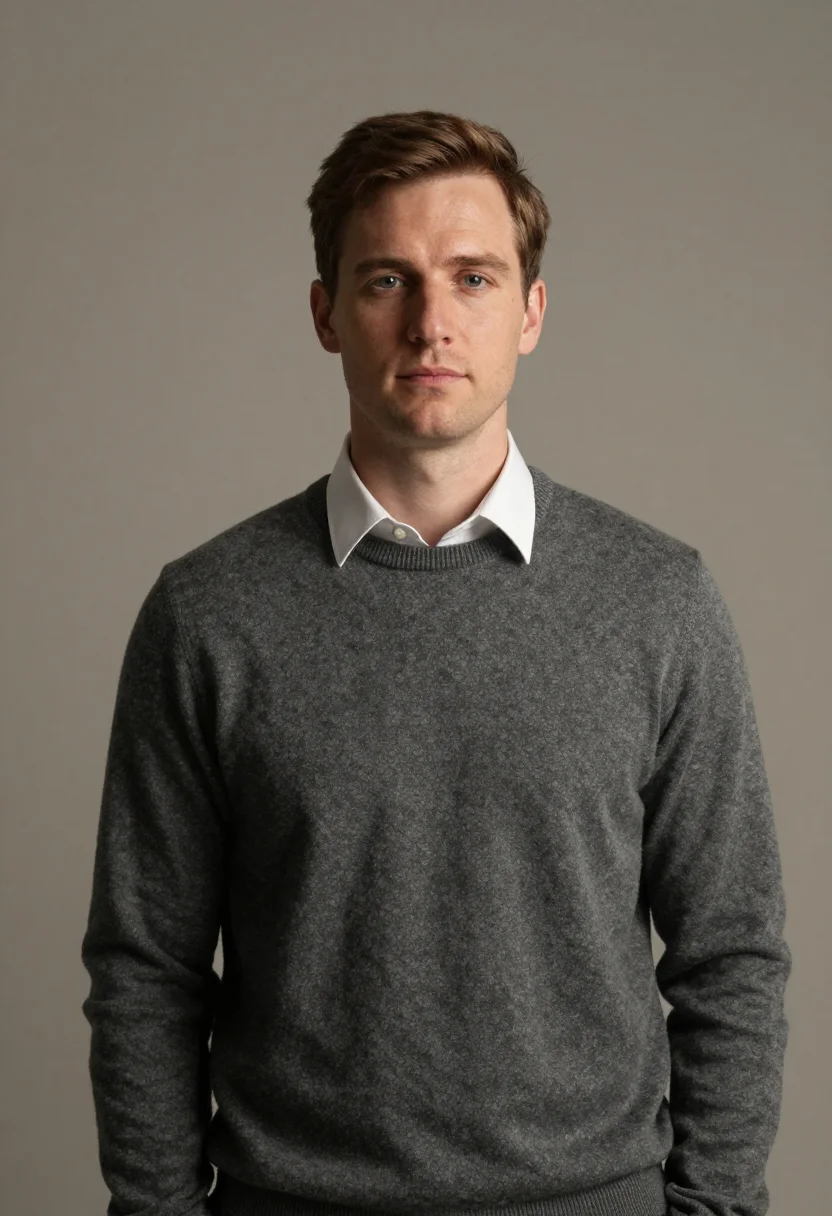
The pack delivers nine academic portraits in three registers — faculty page (charcoal tweed blazer in a library reading-room), paper bio (fine merino crewneck in a wood-paneled academic interior), scholar office (oak-paneled study with brass desk lamp). Each register holds three portraits with composed, scholarly gaze.
People use this pack for university faculty pages, journal article author bios, conference paper author photos, and academic LinkedIn profiles. Photos are processed on European servers.
/faculty-academic · professional · 3 scenes
AI Faculty Headshot for Academic Pages
More like this
one model wears them all →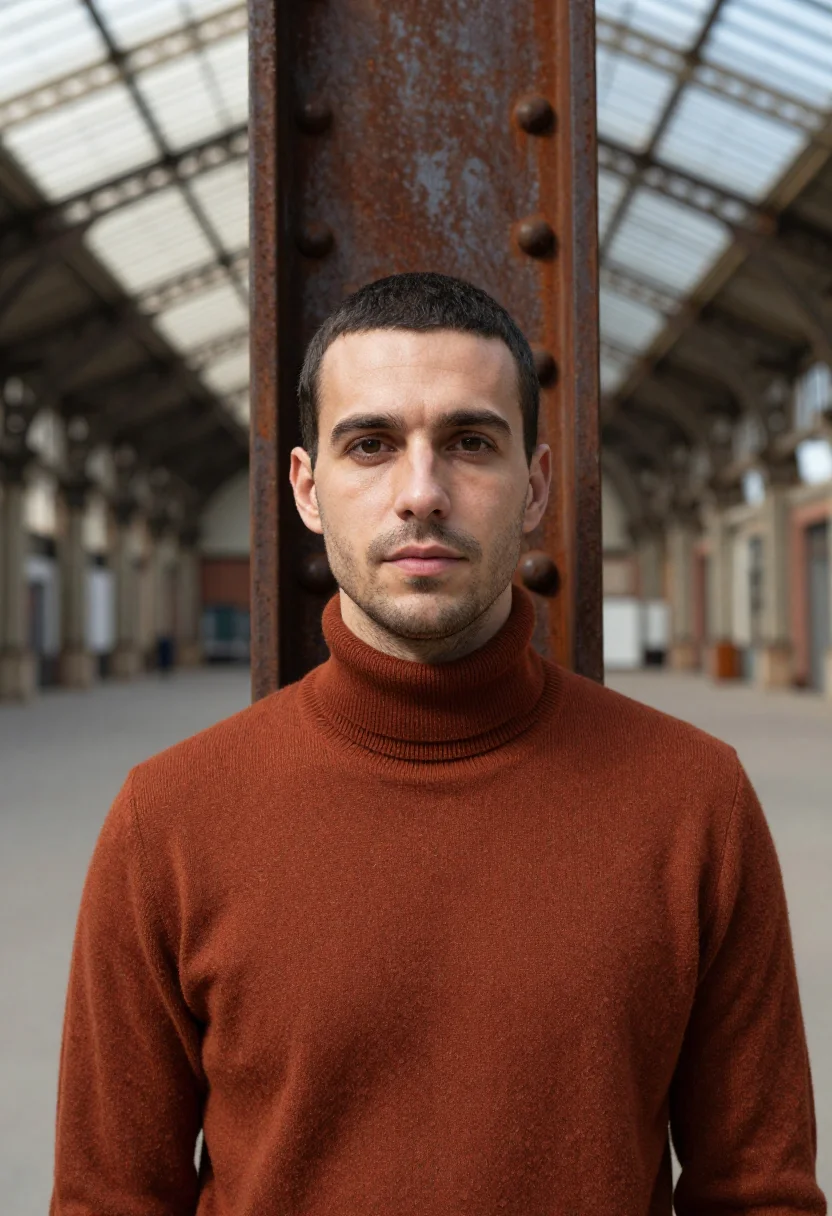
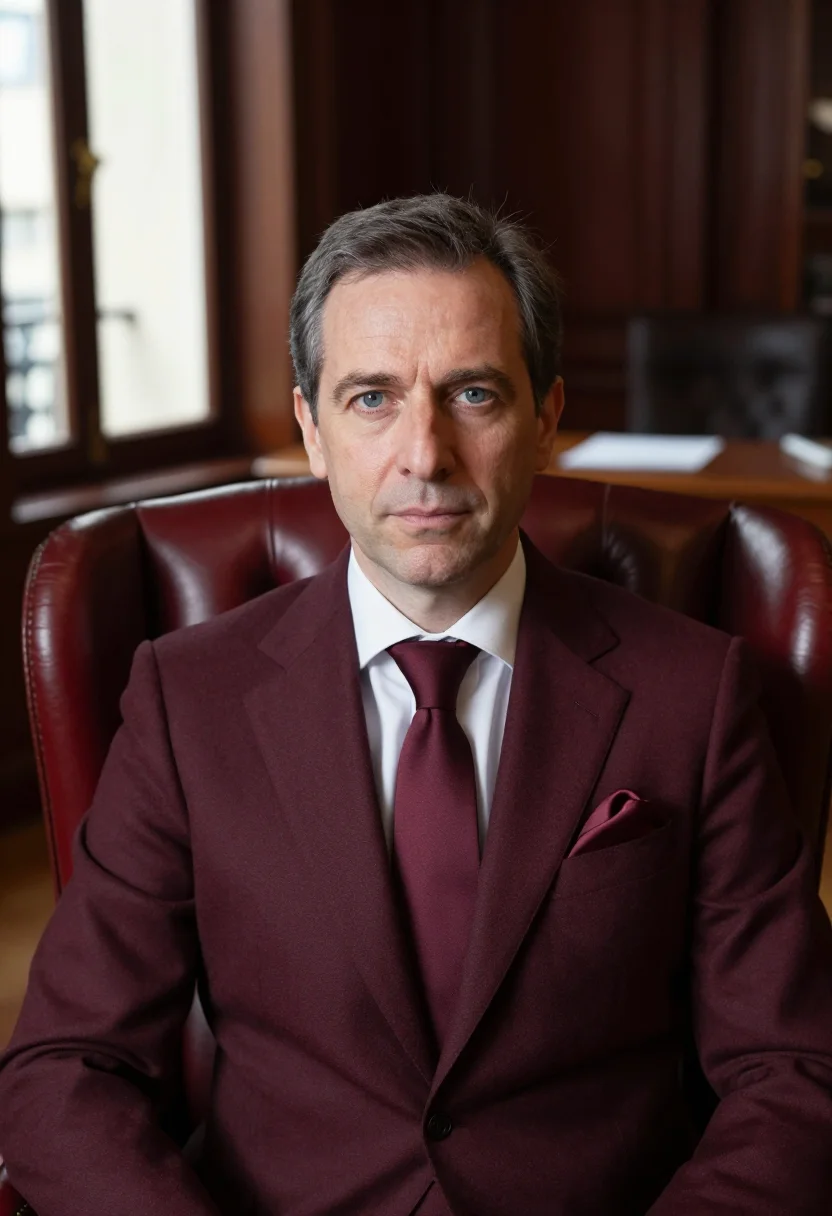
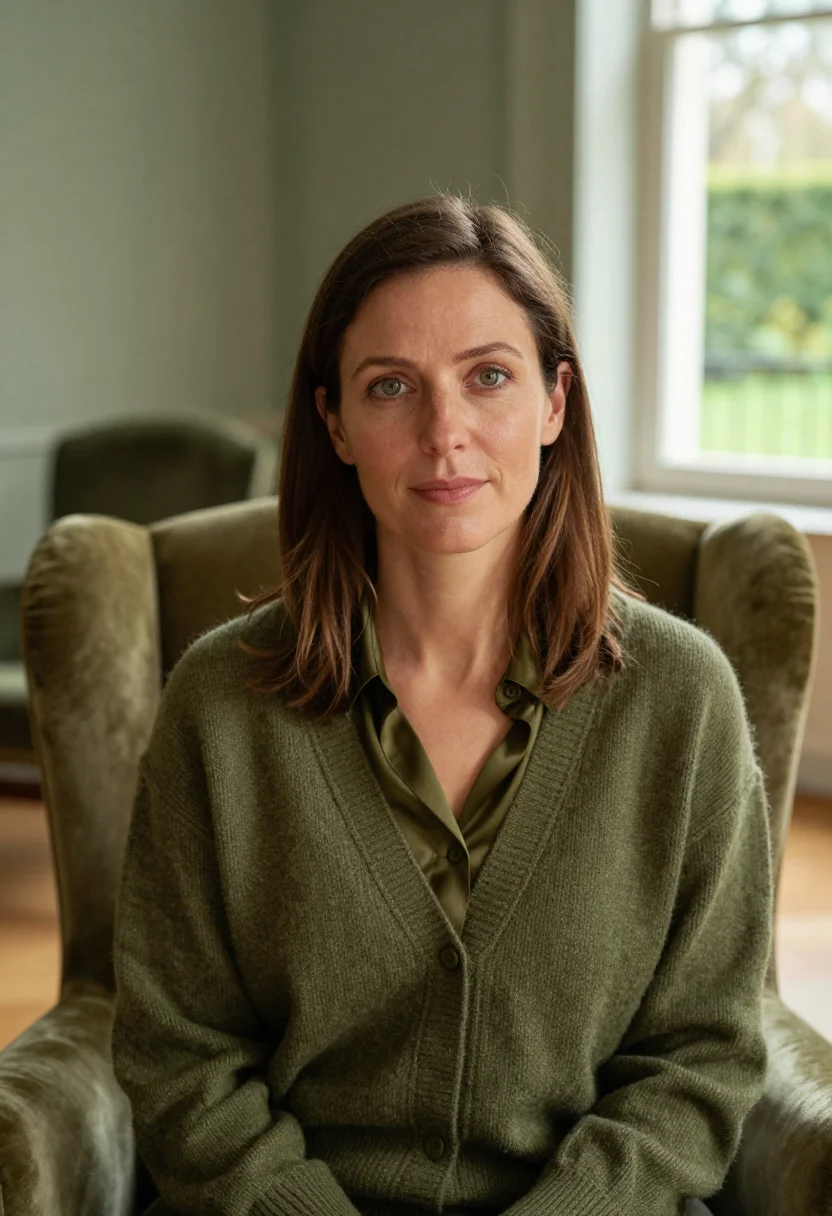
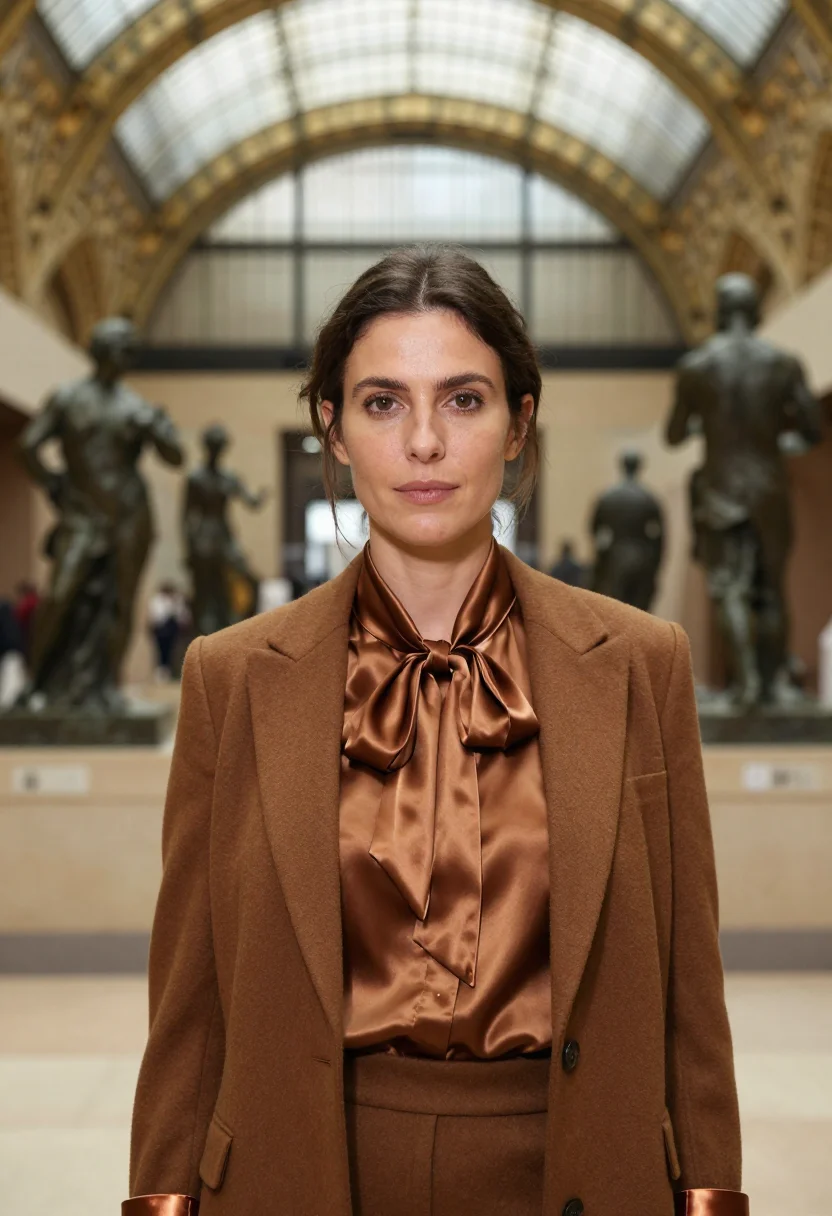
all 9 looks — from one photo ↓
How it works
Three steps. Upload, preview, deliver.
1
Drop a selfie
Your free preview streams in seconds — a quick sketch: close, not you yet.
2
Train your model
Add 12–20 photos of yourself. Your model trains in the background — safe to leave, we email you when your model is ready.
3
Nine academic portraits, truly you
Every shot renders from your model in about ten seconds — this pack, every other pack, and the Studio.
The academic portrait register
A faculty page photo does a specific job. It tells students, collaborators, and grant committees who they are dealing with before they read a word of the CV. It is small, it is square or portrait-cropped, and it is on a page that shows a dozen similar portraits in a row. The photo that reads as a scholar in that context is not the same as the photo that reads as a professional on LinkedIn.
The three registers in this pack are drawn from how institutional academic portrait photography has worked for decades at research universities. The scholar office register puts you in an oak-paneled study — book-lined walls, a brass desk lamp on a leather-topped writing desk softly defocused behind, warm tungsten reading light. Seated half-length, three-quarter framing, hands resting calmly. The wardrobe is a charcoal merino fine-knit over a white linen shirt — the specific range of formality that says "I work with ideas" rather than "I work in finance." The paper bio register is frontal and even-lit: balanced daylight through a wood-paneled academic interior, framed engravings softly behind, the same merino crewneck over an open collared shirt. Designed to read clearly at the small square crops journal platforms use for author photos. The faculty page register is the most formally dressed: a charcoal wool tweed blazer over a pale-blue oxford collar, a university library reading-room with floor-to-ceiling leather-bound bookshelves and a brass desk lamp. The photo a department chair would commission for the department website.
What all three registers share is the same approach to light: soft, controlled, scholarly rather than dramatic. Window light or a reading lamp; no harsh overhead fluorescence, no studio flash. The background is present and context-setting — it communicates institution, not studio — but defocused enough that the face remains the subject.
The output is photorealistic. No illustrations, no brushwork. Nine photographs of you, staged in three academic registers, rendered from your own model in about ten seconds each.
How to photograph yourself for an academic headshot
The pack delivers a free preview in seconds so you can verify the likeness before paying. These choices in your source photo give the AI the most to work with.
- Soft, even light on your faceStand near a window with indirect daylight coming from the side. Overhead fluorescent lighting — common in offices — creates unflattering shadows. If your office window is the only option, face it rather than sitting with it behind you.
- A neutral or contextual backgroundA plain wall or a bookshelf works well. The AI uses your face as the anchor and replaces the background with the pack's academic environments. A busy background with multiple people in it makes the face-isolation step harder.
- Composed, direct expressionLook at the lens with a calm, considered expression — the way you would look at a colleague across a desk. Not a smile, not a formal portrait stiffness. The scholarly portrait register is thoughtful and still.
- Head and upper body in frameThe pack renders half-length and head-and-shoulders portraits. A source photo that shows your face and upper body clearly — not a distant full-length shot — gives the AI more resolution to work with.
- Multiple photos if you have themOne photo is enough for your free preview. Two or three from slightly different angles (front, slight three-quarter turn) sharpen that likeness a little more. To unlock the full pack, you train your model separately on 12–20 photos.
Frequently asked questions
- What does the output actually look like — photorealistic or illustrated?
- Photorealistic. The output is a photograph of you, staged in a scholarly academic environment: oak-paneled office with a brass desk lamp, a wood-paneled academic interior with framed engravings, a university library reading-room with floor-to-ceiling bookshelves. There are no painterly effects, no illustrated qualities. The result is what a professional academic portrait photographer would produce on location at your institution.
- Can I use these photos on my university department faculty page?
- Yes. That is the primary intent of the faculty page register. University department pages typically use a 3:4 or square crop from a head-and-shoulders photo on a neutral or contextual background. The pack delivers nine portrait-ratio photos; any of them can be cropped to the format your IT or web team specifies. Pick the register that matches your department's existing page style — the library register reads formal; the scholar office reads warmer.
- Will it work for an ORCID profile, ResearchGate, Google Scholar, or Academia.edu photo?
- Yes. All four platforms display a small square or circular portrait. The pack's scholar office and paper bio registers both read clearly at the small display sizes those platforms use. The composed, frontal framing of the paper bio register works particularly well for the tiny circular crops that Google Scholar and ORCID show.
- Can I use it for a conference paper author photo or journal article bio?
- Yes. Journal articles and conference papers typically print or display the author photo at a very small size — 60-80px square. The pack's frontal paper bio register is designed for exactly this use: even daylight, measured expression, no background distractions. It reads clearly at small sizes and looks appropriate for academic publishing.
- Is this suitable for a dissertation defense slide or PhD student profile?
- Yes. The scholar office register — oak-paneled study, brass desk lamp, contemplative half-length framing — works well for a first academic profile photo at any career stage. It reads as established without requiring an established position. Many PhD students and postdocs use it to update institutional profile pages and LinkedIn simultaneously.
- How is this different from a generic AI headshot or LinkedIn portrait generator?
- Generic AI headshot tools produce neutral studio output aimed at corporate professional contexts — blank background, business-casual wardrobe, the kind of photo that reads as a tech executive. This pack uses the specific visual register that reads as academic: a book-lined library, a wood-paneled study, a brass desk lamp, a wool tweed blazer or fine merino crewneck. The output looks like it belongs on a faculty page, not a consulting firm website.
- How does this compare to headshotpro, photoai, or secta?
- Those services are built for the professional headshot market — LinkedIn, corporate, real estate. They optimise for the neutral-background studio register. This pack is calibrated specifically for the academic context: the environments, the wardrobe, and the lighting conventions of institutional faculty photography. If you want a corporate headshot, those services serve that well. If you want a photo that reads as a scholar, this pack does.
- Does it work for both men and women in academic roles?
- Yes. The registers are gender-neutral in framing and wardrobe — fine merino crewneck, charcoal wool tweed blazer, oxford collar. The prompts do not specify gender; the AI applies the styling to the face you upload regardless of how you present. The output reads as scholarly across the full range of how academics look.
- What if my only photo is a conference snapshot or a low-quality old photo?
- The free preview shows you the likeness in seconds. If the result looks off, the prep tips on this page address the most common causes — usually lighting and background. One clear, front-facing photo is enough for the preview; to unlock the full pack you'll train your model on 12–20 photos.
- Is the output safe to use commercially and on institutional pages?
- Yes. The output is yours. University faculty pages and academic publishing platforms are permitted uses under the terms. See the terms for the full scope.
- What happens to the photo I upload?
- Your photo is processed on European servers. We use it to generate your preview and, if you buy, your pack of nine. We do not share it with third parties.
When the faculty academic pack fits
- For a university department faculty page portrait — new position, promotion, or overdue update
- For an ORCID, ResearchGate, Google Scholar, or Academia.edu profile photo
- For a journal article or conference paper author bio photo
- For an institutional directory or staff listing portrait
- For a grant proposal or fellowship application that requests a headshot
- For a dissertation defense presentation bio slide
- For an academic LinkedIn profile that reads as scholarly rather than corporate
- For a conference speaker bio, seminar panel page, or academic event listing
- For a lab group page or research group website team photo
- For a book chapter or edited volume contributor bio photo
- For an academic press kit used for invited talks, media interviews, or public scholarship
- As a first professional headshot for a PhD student or postdoc joining the academic job market
About narcis
Most AI portrait tools ship every pose, profession, era, and aesthetic in one giant catalog. The output looks like every other AI photo on the internet — a glaze over a stock face. Narcis goes the other way. One tool, one job: turn photos of you into portraits worth keeping. Drop a selfie and your free preview streams in seconds — a quick sketch: close, not you yet. For portraits that are truly you, train your own model on 12 to 20 photos; it trains in the background, and we email you when it is ready. Train once, render everywhere — this pack, every other pack, and the Studio all come out of that one model, about ten seconds a portrait, and it stays yours to retrain or delete. Each pack is hand-curated against actual references — paintings, photographers, registers — and tested on real faces before it ships. See a free preview before you pay, not after. Packs are one-time — no subscription to buy one; Studio, the unlimited composer, is optional at €12/month and every pack includes 30 days of it. No template generator. Built and run by one team, on our own infrastructure.
All images are AI-generated. By using this service, you confirm you are 18+, that any face photo you upload is your own or used with explicit consent. Full Terms